941 Reconciliation to General Ledger Template: Six Tabs Explained
Listen to article
11:13
A 941 reconciliation to general ledger template is a workbook that connects GL payroll accounts to payroll registers and the quarterly Form 941. It explains every difference between wage expense, reported taxable wages, tax liabilities and deposits. The template has six tabs: setup and account mapping, source imports, a wage bridge, a liability and deposit rollforward, an exceptions log, and approvals. This guide covers each tab, a worked numerical example and the controls that make the workpaper ready for review.

Key Takeaways
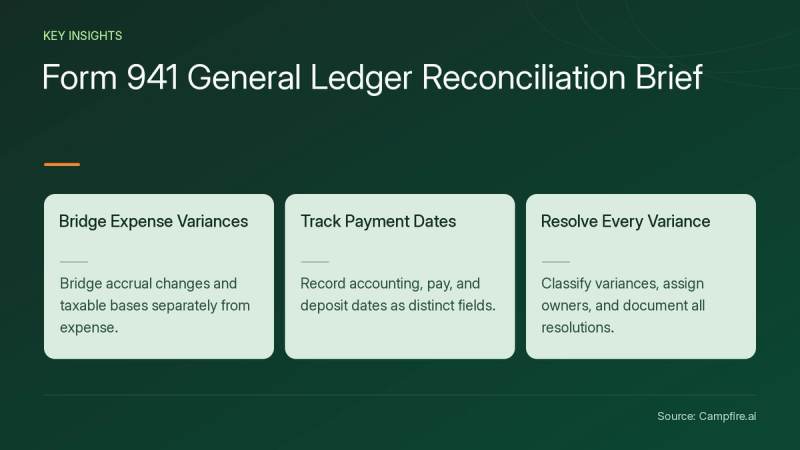
- GL wage expense rarely equals Form 941 line 2. Bridge expense to paid wages with accrual changes, then to each taxable wage base separately.
- Form 941 follows wage payment dates. Track accounting date, pay date and deposit date as separate fields.
- A reconciled payroll tax payable does not need to be zero. It needs a supported rollforward.
- Tie Schedule B liabilities to line 12 and deposits to line 13 as two separate checks.
- Never plug a variance. Classify it, assign an owner and document how it was resolved.
What Should a 941-to-GL Reconciliation Template Include?
A complete template includes six linked tabs, each with one job and its own control total. Payroll registers and Form 941 cover only part of the picture. The GL is where accruals, reclassifications and payable balances live, so a general ledger with month-end close checklists should feed this workbook directly.
| Tab | Purpose | Key Fields |
|---|---|---|
| 1. Setup and mapping | PurposeTax year parameters and GL account mapping | Key FieldsTax year, wage base, form revision, account numbers |
| 2. Source imports | PurposePayroll register, GL trial balance and deposit records | Key FieldsPay-run ID, control totals, duplicate-run check |
| 3. Wage bridge | PurposeGL wage expense to Form 941 wage lines | Key FieldsOpening and closing accruals, pretax deductions, taxable fringe |
| 4. Liabilities and deposits | PurposePayable rollforward, Schedule B and deposit tie-out | Key FieldsPay date, deposit date, confirmation number |
| 5. Exceptions | PurposeUnresolved variances | Key FieldsAmount, cause, owner, resolution date |
| 6. Approvals | PurposeSign-off and evidence index | Key FieldsPreparer, reviewer, dates, file references |
Why does the setup tab matter?
The setup tab stops a prior-year workbook from carrying outdated assumptions into the current year. The Social Security wage base and Form 941 revisions change, so store them as dated parameters and check them against current IRS and SSA guidance each January. Never hard-code a single annual limit into formulas.
How Do You Bridge GL Wage Expense to Form 941 Wages?
Start with GL wage expense, add the opening accrued wages, subtract the closing accrued wages, and you get gross wages paid. Form 941 reports wages by payment date. The GL records them when they are earned. The accrual change is the most common reason the two disagree.
Worked example: one quarter
The figures below are illustrative and assume no other differences.
| Line | Item | Amount |
|---|---|---|
| A | ItemGL wage expense for the quarter | Amount$500,000 |
| B | ItemPlus opening accrued wages (paid this quarter) | Amount$20,000 |
| C | ItemLess closing accrued wages (paid next quarter) | Amount($30,000) |
| D | ItemGross wages paid (A + B + C) | Amount$490,000 |
| E | ItemLess traditional pretax 401(k) deferrals | Amount($25,000) |
| F | ItemFederal income tax wage base (D + E) | Amount$465,000 |
Calculate Social Security and Medicare wage bases on separate lines. Pretax deductions can affect each base differently, and Social Security wages stop at the annual cap for each employee. One taxable wage total cannot reconcile every Form 941 line.
What other reconciling items belong in the bridge?
Add rows for any item that moves wages between the GL and payroll:


- Capitalized payroll recorded to balance sheet accounts
- Reclassifications between departments or entities
- Taxable noncash compensation, such as imputed income
- Cafeteria plan and other pretax deductions
- Payroll runs posted in the wrong period
How Do You Reconcile Payroll Tax Liabilities and Deposits?
Roll forward each payroll tax payable account: opening balance, plus liabilities added, minus settlements, plus or minus supported adjustments, equals closing balance. Keep separate rollforwards for employee withholding and the employer share. Employer tax expense and employee withholding are different numbers, and a single payroll tax expense balance cannot reconcile both.
| Rollforward Line | Illustrative Amount | Evidence |
|---|---|---|
| Opening payable | Illustrative Amount$12,000 | EvidencePrior-quarter reconciliation |
| Plus liabilities by pay date | Illustrative Amount$80,000 | EvidencePayroll register, Schedule B |
| Less deposits settled | Illustrative Amount($75,000) | EvidenceDeposit confirmations |
| Closing payable | Illustrative Amount$17,000 | EvidencePost-quarter deposit support |
The $17,000 balance is valid if it matches the liabilities for the last pay dates and the deposits made after quarter-end. An unsupported balance is a variance, even when the GL looks clean.
How do the three dates affect the tie-out?
Each date drives a different check. The accounting date drives the GL accrual. The pay date drives Form 941 and Schedule B liabilities. The deposit date drives timeliness testing. Wages earned in late December but paid in early January belong to the first quarter's Form 941, even though the expense sits in the prior year's GL.
Late or misallocated deposits carry real cost. Failure-to-deposit and failure-to-file or failure-to-pay penalties fall under IRC sections 6656 and 6651, as summarized on the IRS penalties page[c1]. Record the due date next to each deposit so late items surface before filing.
How Should You Handle Variances?
Classify every variance by cause before you correct anything, because the fix depends on where the error sits. Some differences are valid timing items and need no change. Others need a journal entry, a payroll adjustment or an amended return.


| Variance Type | Example | Action |
|---|---|---|
| Valid timing difference | ExampleAccrued wages paid next quarter | ActionDocument it in the bridge. No correction needed. |
| GL posting error | ExamplePayroll tax posted to the wrong account | ActionPost a correcting journal entry with support. |
| Payroll calculation error | ExampleDeduction set up as pretax in error | ActionCorrect it in payroll and assess the employee impact. |
| Filed return error | ExampleLine 2 misstated on a filed Form 941 | ActionEvaluate Form 941-X under current IRS rules for that error type. |
Correction rules vary by error type and tax year. Not every variance qualifies for a tax adjustment. Log each item on the exceptions tab with an owner and a target date, and escalate items that stay open across quarter-ends.
What Controls Make the Template Review-Ready?
A review-ready template has protected formulas, versioned parameters, an evidence index and named sign-offs. These controls turn a spreadsheet into a workpaper an auditor or new team member can follow.
- Version control: Record the tax year, the supported Form 941 revision and a dated change log.
- Import controls: Match register totals to source reports and flag duplicate pay-run IDs.
- Ownership: Payroll validates taxable wages. Accounting owns GL postings, accruals and rollforwards. A named reviewer signs off.
- Evidence index: Link registers, deposit confirmations, filed returns and journal entries.
Reconciliation time adds up quickly across a close. APQC benchmarking found organizations need a median of 6.0 hours[c2] to complete GL account reconciliations. A separate APQC measure found teams reconcile a median of 3.4 GL accounts per FTE[c3].
Spreadsheets break when payroll data arrives by manual export. Connecting payroll directly to the ledger through native payroll and banking integrations reduces rekeying. Payroll postings and deposits then land in the GL with source identifiers already attached.
Conclusion
A strong 941 reconciliation to general ledger template answers three questions. Why does wage expense differ from reported wages? Why is the tax payable not zero? Do deposits match liabilities by date? Build the six tabs, bridge accruals and each taxable wage base separately, and roll forward every payable with evidence. Classify variances instead of plugging them, and refresh your parameters every tax year. When you are ready to move payroll postings, accruals and reconciliations out of spreadsheets and into one ledger, get started with Campfire.
FAQ
Why doesn't my GL wage expense match Form 941 line 2?
GL wage expense follows accrual accounting, while Form 941 reports wages by payment date and excludes certain pretax deductions. To reconcile them, add opening accrued wages, subtract closing accrued wages, then adjust for pretax deductions, taxable fringe benefits, capitalized payroll and reclassifications until you reach line 2.
Should the payroll tax payable account be zero after reconciliation?
No, a reconciled payroll tax payable can carry a balance at quarter-end. It is supported when it equals liabilities from the final pay dates of the quarter that were deposited after quarter-end. Any balance you cannot trace to specific pay dates and later deposits is an unresolved variance.
What is the difference between Form 941 line 12 and line 13?
Line 12 reports total tax liability for the quarter after adjustments, and line 13 reports total deposits, including eligible overpayments applied from a prior period. Reconcile Schedule B or monthly liabilities to line 12 and deposit confirmations to line 13 as separate checks, because the two can differ legitimately.
How often should I update a 941 reconciliation template?
Review the template every quarter and refresh its parameters at least once a year. Each January, confirm the Social Security wage base, the supported Form 941 revision and the GL account mappings, then record the changes in a dated change log so reviewers know which version produced each workpaper.