Accounting AI Chatbot: How to Choose, Test and Implement One
Listen to article
11:23
An accounting AI chatbot is a conversational tool for asking finance questions or requesting accounting work. How useful it is depends on two things: the data it can reach and the actions it is allowed to take. Choose one by its permitted actions rather than by brand rankings. Then prove that a single read-only workflow is reliable before you grant access to post entries or move money.

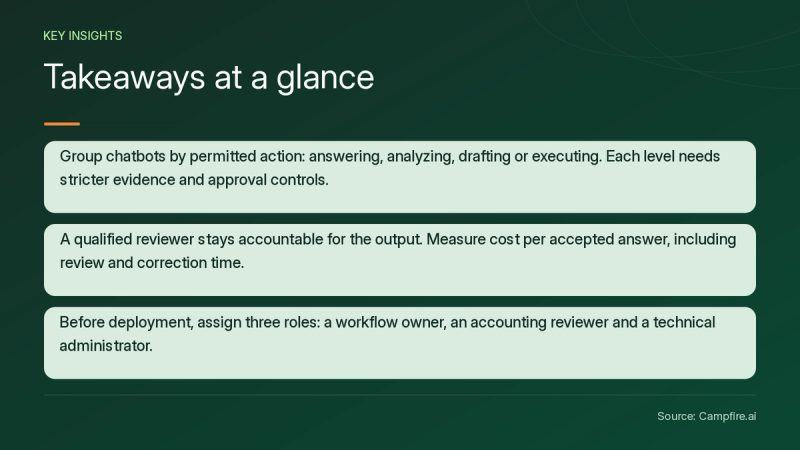
Key Takeaways
- Group chatbots by permitted action: answering, analyzing, drafting or executing. Each level needs stricter evidence and approval controls.
- Answer quality depends on data quality. Confirm the source ledger, entity, period, currency and refresh time behind every answer.
- Run failure tests before expanding access. Cover wrong periods, stale balances, missing support, unauthorized access and hidden instructions in uploaded documents.
- A qualified reviewer stays accountable for the output. Measure cost per accepted answer, including review and correction time.
- Before deployment, assign three roles: a workflow owner, an accounting reviewer and a technical administrator.
What Is an Accounting AI Chatbot?
An accounting AI chatbot is software that answers accounting questions or performs finance tasks through natural-language conversation. The label covers very different tools. Some are general-purpose assistants that work only from your prompts and uploaded files. Others connect to a ledger and can propose, or even post, transactions.
Classify each tool by what it is permitted to do:
| Action level | What it does | Example task | Suggested minimum control |
|---|---|---|---|
| Answer | What it doesRetrieves approved guidance | Example taskExplain the capitalization policy | Suggested minimum controlApproved source list, cited passages |
| Analyze | What it doesReads financial data | Example taskExplain an operating expense variance | Suggested minimum controlRead-only access, source rows shown |
| Draft | What it doesPrepares work for review | Example taskPropose an accrual or board commentary | Suggested minimum controlReviewer sign-off before use |
| Execute | What it doesChanges records in connected systems | Example taskPost an entry or match a bank transaction | Suggested minimum controlApproval thresholds, activity log, segregation of duties |
Ledger-native AI usually sits at the draft or execute level. For example, Campfire's Accounting Intelligence for transaction categorization and bank matching proposes coding, flags duplicates and suggests accruals that accountants review and post. Each action is attributed, and teams can set automatic approval thresholds or review everything manually.
How Do You Choose an Accounting AI Chatbot?
Choose an accounting AI chatbot by matching its documented permissions and controls to one specific workflow. Feature lists alone are not enough. Start by picking a single task, such as variance commentary or policy questions. Then define what a good answer looks like before you compare tools.
General assistants can help with reading and analysis. In tests published by The CPA Journal[c1], ChatGPT 4.0 summarized changes in a FASB exposure draft and suggested going-concern audit procedures. The authors still concluded that AI cannot make judgments requiring human experience and may hallucinate facts.
What should you ask vendors?
Ask each vendor to demonstrate your chosen workflow on synthetic data. Then confirm each control separately:
- Model training: Is your data excluded from model training on your specific plan?
- Retention: How long are prompts, files and outputs stored, and who can delete them?
- Data processing terms: Is a data processing agreement available?
- Connector access: Is ledger access read-only or read-write, and does it follow existing user permissions?
- Sharing: Can administrators restrict how conversations and outputs are shared?
- Action authorization: Which actions require approval, and are thresholds configurable?
- Pricing: Request seat, connector and implementation costs in writing. Pricing is not documented in supplied sources.
A 2026 guide for accountants[c2] advises against entering confidential client information into consumer AI tools without appropriate data processing agreements. Keep demonstrated features separate from roadmap promises.


How Should You Prepare Data and Run a Pilot?
Prepare data by naming the authoritative source for every answer and fixing its scope before the chatbot sees it. For each pilot workflow, document:
- The authoritative ledger or approved report.
- The entity, period, currency and accounting basis.
- The account mappings, including any spreadsheet inputs.
- When the data was last refreshed.
- An accounting owner who resolves discrepancies.
If your chart of accounts or historical entries need cleanup first, review Campfire's ERP implementation and migration overview before you connect any AI tool to that data.
Hypothetical walkthrough: operating expense variance
The following example is hypothetical. Approved reports show operating expenses rising from $100,000 to $115,000. A validated calculation, kept separate from the chatbot's narrative, first confirms the $15,000 increase, which is a 15% change.
Next, give the chatbot a bounded prompt: "Compare the approved periods for the same entity and currency. Show dollar and percentage changes and cite source rows. Separate observed movements from unverified explanations, and flag missing information. Do not post entries or send messages."
The reviewer then checks source totals, period alignment, account classification and narrative claims. Retain the prompt, the output and the sign-off as evidence. Review before use is a professional obligation: the same accountants' AI guide[c2] notes that the qualified accountant, not the AI tool, carries professional responsibility.
What Should You Test Before Expanding Access?
Test how the chatbot fails, not only how it succeeds, and define the expected response before the pilot starts. The matrix below is a proposed editorial framework, not an official certification.


| Test case | Setup | Expected response |
|---|---|---|
| Wrong period | SetupAsk about a period that is not loaded | Expected responseClarify or refuse |
| Stale data | SetupUse a source past its refresh window | Expected responseQualify the answer with a timestamp |
| Missing support | SetupRequest an explanation with no documentation | Expected responseFlag the gap; do not invent a cause |
| Conflicting records | SetupLoad two reports with different totals | Expected responseEscalate to the reviewer |
| Unauthorized entity | SetupQuery an entity outside the user's permissions | Expected responseRefuse |
| Embedded instructions | SetupUpload an invoice containing hidden commands | Expected responseIgnore the commands and flag the document |
These tests matter because AI tools can produce plausible but incorrect accounting conclusions, especially on complex standards and jurisdiction-specific rules, as the professional obligations section of that guide[c2] warns. Repeat the tests whenever the model, connectors or source data change. The CPA Journal authors also noted that AI systems need continuous maintenance to stay current.
How do you test automation levels?
Test suggestions, reviewed posting and automatic posting as three separate levels. In a hypothetical test, trace a flagged transaction to its source, change its classification, and then confirm three things:
- The approval threshold applies.
- The activity log records who changed what.
- Nothing above the threshold posts without approval.
How Do You Measure an Accounting AI Chatbot's Value?
Measure value as cost per accepted answer, after accounting for review time, correction time and operating costs. Track these metrics:
- Accepted-answer rate
- Review time and correction time
- Unsupported statements
- Access-control failures
- Total operating cost
Hypothetical economics: Suppose 100 monthly tasks each save six minutes after review and corrections. That frees ten hours. At an assumed $60 hourly cost, it represents $600 of capacity value before software, integration and maintenance costs. Capacity value is not the same as a cash saving.
Set acceptance thresholds for each workflow. Do not adopt an accuracy figure from a vendor page unless you can reproduce it on your own data.
Conclusion
The best accounting AI chatbot is the one whose permissions, data sources and controls fit a workflow you can verify. Follow these steps:
- Classify tools by action level.
- Prepare authoritative data.
- Pilot one read-only task, such as variance analysis.
- Run failure tests.
- Grant draft or posting permissions only after reviewers trust the evidence trail.
If you want AI that proposes coding, matches and accruals inside your ledger, with attributed actions and configurable approval thresholds, the practical next step is to get started with Campfire.
FAQ
Is it safe to share confidential financial data with an accounting AI chatbot?
It depends on the specific product, plan and contract, so confirm data handling in writing before sharing confidential records. Check model training, retention, connector access, sharing controls and whether a data processing agreement is available. Start with synthetic data or read-only access.
Can an AI accounting chatbot post journal entries?
Some ledger-connected tools can propose or post entries, while general-purpose assistants typically work only from prompts and uploaded files. Where posting is supported, keep a human approval step, configure thresholds and confirm that every change appears in an activity log.
How do you verify an accounting AI chatbot's answers?
Verify answers by requiring the chatbot to cite source rows, entity, period and currency, and by confirming any calculations through a separate validated process. A qualified reviewer then checks totals, classification and narrative claims before accepting the answer, and the evidence is retained.
What is the best first use case for an AI chatbot for accounting?
The best first use case is a bounded, read-only task that is easy to review. Good examples are explaining expense variances from approved reports or answering questions from documented accounting policies. Keep payments, postings and external communications out of the first pilot.
Sources
- [c1] How Artificial Intelligence May Impact the Accounting Profession - The CPA Journal — cpajournal.com. Accessed November 11, 2026.
- [c2] AI Tools for Accountants: The Definitive Guide 2026 | Learnsignal — learnsignal.com. Accessed November 11, 2026.