Accounting Automation Software for Nonprofit Finance Teams
Listen to article
5:06
Evaluate accounting automation software for nonprofit finance teams with a sample your team can trace from source records to the ledger. Ask each provider to run the same import, show the exceptions and export the results. Use the demonstration to decide which work to include in a pilot and which decisions your finance team will own.
Start with one organization, one period and a defined set of receipts or payments. For related reading on the destination ledger, see Campfire’s Core Accounting overview.

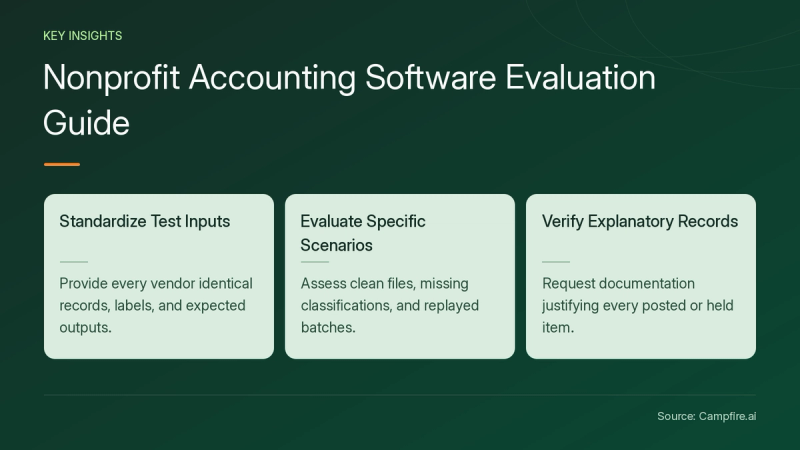
Key Takeaways
- Give each provider the same source records, labels and expected output.
- Test a clean import, a missing classification and a replay of the same batch.
- Ask for the records your team would use to explain each posted or held item.
What records should the pilot help your team trace?
The IRS recordkeeping guidance for exempt organizations [c1] says an organization must be able to document the sources of receipts and expenditures reported on its returns. Ask the provider to demonstrate how your reviewer would find a source receipt or payment from the pilot’s output. Keep a copy of the sample records and the corresponding ledger references.
Write the starting point and endpoint on a worksheet before the demonstration. For a receipt import, start with the approved source file and end with the ledger entries and held-item list. Ask which field identifies the original record and how your team would locate the record if it needed to explain the entry later.
How can you compare nonprofit accounting workflows?
Choose the classifications you want to test with your own accounting adviser. For the pilot, label sample receipts by program and by a funding category your team supplies. Ask the presenter to show where each label is stored, how it appears in the output and how an authorized user can correct it.


Give the provider a separate list of required outputs. Include a total by the labels you selected and a list of records held for correction. Ask the presenter to identify any setup needed before the demo and any additional configuration proposed for a later phase. Record that work alongside the implementation estimate so your team can evaluate the proposal.
What should a repeatable import test include?
Use this fictional receipt batch for one period. Receipt A is $120 and receipt B is $80. Both have approved mappings in this example. Receipt C is $40 and lacks a program label. For this test, require A and B to post for a total of $200 and C to remain held for correction. The complete source batch totals $240.
| Pilot case | Expected result for this sample | What to collect |
|---|---|---|
| Import the approved items | Expected result for this sampleA and B post once for $200 | What to collectThe source IDs, applied labels and ledger references |
| Check the incomplete item | Expected result for this sampleC stays held for $40 | What to collectThe exception reason and assigned owner |
| Reconcile the batch | Expected result for this sample$200 posted plus $40 held equals the $240 input | What to collectThe two output lists and the source total |
| Replay the same input | Expected result for this sampleNo additional entries post | What to collectThe replay history and unchanged ledger totals |
Set the expected results before the presenter runs the test. Ask a second participant to repeat it using the same file and mappings. Keep any difference between the worksheet and the observed output, then agree who will resolve it before the pilot is accepted.


What should you ask about ownership and ongoing cost?
Ask the provider to identify who maintains the mapping, who handles rejected items and who can approve a corrected posting. Have your team try those steps using the roles proposed for its real workflow. Record the permissions used for the demonstration and ask how the baseline configuration would be restored after a mistake.
Request a written estimate covering setup, support, data import, additional entities and changes to reports. Compare the estimate with the demonstrated scope. For related reading when choosing the next workflow to test, see Campfire’s Proprietary Foundation Model overview.
Conclusion
Choose a small pilot with known inputs and expected results. Ask the provider to demonstrate the full path, then keep the evidence your team needs to repeat the test. Bring your sample and required outputs when you get started with Campfire.
FAQ
Which nonprofit workflow should we test first?
Choose one with stable source IDs and a clear ledger endpoint. A small receipt batch lets your team check the imported items, exceptions and totals with the same worksheet.
How should we test a missing classification?
Decide the expected outcome before running the sample. In this pilot, the item stays held. Ask the presenter to show the exception and the steps the assigned owner takes to correct it.
What should we keep after the software demonstration?
Keep the sample input, mapping choices, run history, output lists and observed differences. Ask another reviewer to reproduce the test before you accept the proposed workflow.
Sources
- [c1] EO operational requirements: Recordkeeping requirements for Exempt Organizations | Internal Revenue Service — irs.gov. Accessed November 18, 2026.