Accounting Automation Software for Professional Services
Listen to article
5:22
Evaluate accounting automation software for professional services by asking each provider to demonstrate one client project from approved work records to a draft invoice and ledger output. Give every provider the same sample, expected calculations and approval rules. Use the results to define a pilot your finance and project teams can repeat.
Start with one client, one project and one billing period. For related reading on the ledger endpoint, see Campfire’s Core Accounting overview.

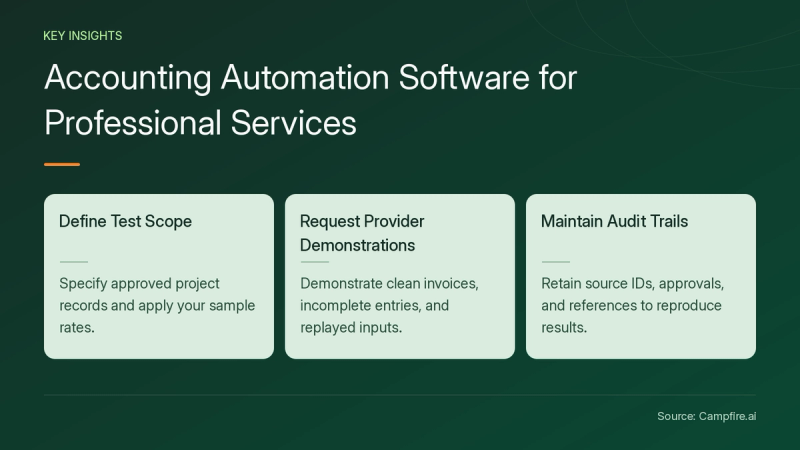
Key Takeaways
- Specify which project records are approved for the test and how your sample rates apply.
- Ask each provider to demonstrate a clean invoice, an incomplete time entry and a replay of the same input.
- Keep source IDs, approval decisions and output references so another reviewer can reproduce the result.
What should a professional services pilot cover?
Choose the handoff you want the provider to demonstrate. For this pilot, use approved time entries as the starting point and a draft invoice as the first output. Ask the provider to show who can change the project, rate and billing status before any invoice is approved. Define a separate acceptance check for the later posting to the ledger.
Ask your project lead and finance reviewer to agree on the sample rules first. Write down which work is billable, which items remain pending and which person accepts a correction. Give the provider those decisions with the sample file so it can distinguish the agreed setup from anything it proposes to configure later.
Which source records should your team be able to retrieve?
The IRS guide to business records [c1] lists invoices, receipts and other supporting documents and explains their role in supporting entries in the books and on a tax return. Ask the presenter to show how your reviewer would retrieve the original record from the pilot’s output. Keep the sample invoice and its source IDs together.


For your own project test, ask to see the client and project identifiers in the exported results. Add a correction note to one sample record and ask where your reviewer would find it after the invoice is prepared. Record the demonstrated path so the second participant can follow it without help from the presenter.
How do you test a billing workflow with known results?
Use this fictional time-and-materials example. Entry A contains four approved hours at a sample rate of $100 per hour. Entry B contains two approved hours at a sample rate of $150 per hour. Entry C contains one hour with no approved rate. For this test, expect a $700 draft invoice from A and B while C stays held for correction.
| Pilot case | Expected result for this sample | What to collect |
|---|---|---|
| Prepare the draft invoice | Expected result for this sampleA contributes $400 and B contributes $300 | What to collectEntry IDs, sample rates and invoice lines |
| Process the incomplete entry | Expected result for this sampleC remains held for a rate decision | What to collectException reason and assigned owner |
| Replay the same batch | Expected result for this sampleNo additional draft lines appear for A or B | What to collectRun history and unchanged invoice total |
| Approve and post the sample invoice | Expected result for this sampleThe ledger output agrees with the approved $700 invoice under your test mapping | What to collectThe invoice ID and ledger reference |
Save the expected values before running the demonstration. Compare the source IDs and amounts separately. Ask another participant to repeat the same batch, then record any difference between the observed output and the worksheet. Agree on who resolves each difference and which case must run again before your team accepts the pilot.


What should you ask about implementation and ongoing work?
Ask which team configures project and account mappings, who maintains rate changes and how support handles a held record. Have the provider identify every integration used in the demonstration and the work needed to repeat it with your chosen systems. Include ownership of the exported data in your scope discussion.
Request a written estimate for setup, imports, ongoing support and changes to the agreed workflow. For related reading when selecting the next process to evaluate, see Campfire’s Accounting Intelligence overview.
Conclusion
Start with a small project and expected results you can calculate independently. Keep the sample inputs and outputs, then ask a second reviewer to repeat the test. Bring the same file and acceptance checks when you get started with Campfire.
FAQ
Which project should we use in the demonstration?
Choose a fictional project with a single billing period and a few records. Supply the rates and approval rules your reviewers expect the provider to follow.
How should we test a missing rate?
Define the expected exception before running the sample. In this example, the entry stays held. Ask the presenter to show who can approve a rate and how the corrected item returns to the workflow.
How can finance repeat the billing test?
Save the source file, sample rates, mapping choices and expected invoice total. Ask the reviewer to run the same inputs and compare the line IDs, held items and posted result with the original worksheet.
Sources
- [c1] What kind of records should I keep | Internal Revenue Service — irs.gov. Accessed November 18, 2026.