Accounting Data Migration: Steps, Timelines and Validation Checks
Listen to article
6:43
Accounting data migration is the process of moving financial data, such as account balances, transactions and historical records, from one accounting system to another while keeping financial reporting accurate (Digits glossary). A successful migration depends less on the import itself and more on scoping, cleanup, validation and a clear cutover decision. This guide covers those steps and the checks to run at each one.

Key Takeaways
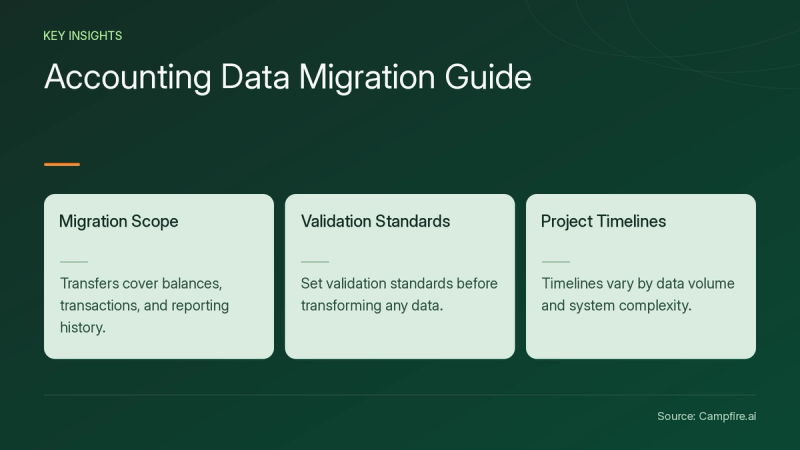
- A migration typically covers balances, transactions and history needed for reporting (Digits).
- Agree on a validation standard, such as an AP Aging Detail report, before you transform any data (Platform Transition).
- Timelines range from weeks to longer, depending on data volume, system complexity and cleanup needs (DataBank).
- A single import is one task. Cleanup, mapping, testing and cutover can take longer, so plan for them separately.
What does accounting data migration include?
Accounting data migration includes the account balances, transactions and historical records a business needs to maintain accurate reporting in the new system (Digits). Scope varies by goal. Platform Transition separates a detailed GL migration (master data, GL transactions and open AP and AR) from a full subledger rebuild with historical bills, invoices and payments. It suggests the subledger rebuild for teams preparing for an audit or an acquisition (Platform Transition).
Migrating only summary balances can leave teams dependent on the legacy system to produce essential reports (Platform Transition). Decide early how much history you need.
How long does accounting data migration take?
Accounting data migration takes anywhere from weeks to longer, depending on data volume, system complexity and cleanup requirements (DataBank). Platform Transition says a do-it-yourself migration could take hundreds of hours. It describes moving already reconciled data in a matter of days to meet go-live, then moving the remaining data after the books close on the interim period (Platform Transition).
Treat any vendor time estimate as conditional. Ask which dataset was used, where the clock started and stopped, and whether mapping, reconciliation, testing and training were included.


What steps does a migration follow?
Most migrations follow the same arc: scope, extract, clean and transform, load, then validate and go live. The two published processes below map to each other as follows.
| Phase | Platform Transition | DataBank |
|---|---|---|
| Scope | Platform TransitionStrategic Exploration, Strategy Validation | DataBankAssessment, Planning |
| Extract | Platform TransitionExtraction, Extraction Validation | DataBankMigration execution |
| Prepare | Platform TransitionTransform, Transform Validation, Conversion, Conversion Validation | DataBankData preparation (cleanup, normalization) |
| Load and verify | Platform TransitionLoad, Load Validation | DataBankValidation and reconciliation; Go-live and support |
If you are evaluating Campfire, review its Implementation and Migration page and ask which of these phases the vendor performs and which stay with your team.
How do you validate migrated data?
You validate migrated data by comparing the same agreed report in the source and target at every stage. Platform Transition notes that legacy reports can disagree with each other because of undetected database corruption, so validate the extract before trusting it (Platform Transition). DataBank recommends checking at the record level, not only totals (DataBank).


Hypothetical walkthrough:
- Pick the standard. Choose an AP Aging Detail report as the shared benchmark.
- Extract everything. Pull active and inactive master data so old vendor transactions still map (Platform Transition).
- Check row counts after transform. Confirm no columns or trailing rows were dropped.
- Load to a test environment. Compare opening balances, open AR and AP, and sampled history against the source.
- Repeat in production. Recheck after the final load, down to the penny.
What should decide the cutover?
Cutover should depend on a written list of mismatches that block go-live. For each discrepancy, record an owner, the expected result and an escalation deadline. Decide in advance who can authorize a rerun and what evidence shows a rollback restored the prior state.
Retain the comparison reports as evidence. Missing transactions or broken audit trails can disrupt reporting and create compliance exposure (DataBank). When comparing target ledgers, review Campfire Core Accounting and confirm whether the platform offers close checklists to track post-migration reconciliations.
Conclusion
Successful accounting data migration rests on a clear scope, a shared validation standard and an explicit cutover rule. Validate at each stage, keep the evidence and treat speed claims as conditional. To evaluate an AI-native ERP for your next system, get started with Campfire.
FAQ
When should you start planning an accounting data migration?
Start as early as possible, ideally before you design the new system's architecture, because migration planning can expose false assumptions in the implementation plan (Platform Transition).
Do you need to back up legacy data before migrating?
Platform Transition says a backup is often unnecessary because the legacy system usually stays accessible, but it recommends one for QuickBooks Desktop to QuickBooks Online transfers, where a failed automated transfer could corrupt the database (Platform Transition). Consider keeping a tested backup as low-cost insurance.
Should you migrate full history or summary balances?
Summary balances are simpler, but they can leave you relying on the legacy system for essential reports, so match the depth of history to your audit, acquisition and reporting needs (Platform Transition).
Why do spreadsheet-based migrations fail?
Spreadsheets, CSV exports and manual validation can introduce errors, duplication and broken reports, and they can carry unclean charts of accounts into the new system (DataBank).
Sources
- [c1] Data migration — AI Accounting Glossary — Digits — digits.com. Accessed November 20, 2026.
- [c2] The 10-Step Accounting Data Migration Process That Gets It Right The First Time - Platform Transition — platformtransition.com. Accessed November 20, 2026.
- [c3] Accounting Data Migration Services — databankimx.com. Accessed November 20, 2026.