Accounting Firm Automation: How to Pilot a Client Document Request
Listen to article
6:42
A firm can test a client-document request by assigning one fictional client, tracking reminders and overdue items, and having a reviewer sign off against written criteria. The pilot should show whether each sample item moves from request to reviewed file without manual chasing. Run it with sample records, not live client files.

Key Takeaways
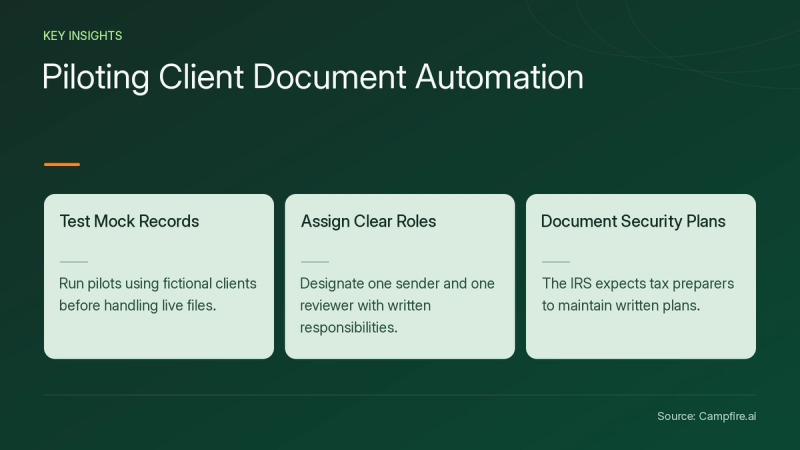
- Run the pilot with one fictional client and sample records before using live files.
- Name one sender and one reviewer, and write down what each must check.
- Karbon's documented reminder schedule starts seven days before the due date. Test whether that timing fits your deadlines.
- Auto-reminders stop after the fifth reminder, so assign a manual follow-up on that date.
- The IRS expects professional tax preparers to keep a written information security plan for client data.
How should a firm set up a client-document pilot?
Set up the pilot with one fictional client, a fixed document list, and fixed due dates. Use the table below as the sample record set.
| Item | Sample file (fictional) | Owner | Due date (hypothetical) |
|---|---|---|---|
| Bank statements | Sample file (fictional)Q1 2026 statements for Maple Street Bakery LLC | OwnerClient | Due date (hypothetical)March 16, 2026 |
| Payroll summary | Sample file (fictional)Q1 2026 payroll register | OwnerClient | Due date (hypothetical)March 16, 2026 |
| Equipment invoices | Sample file (fictional)Three sample invoices | OwnerClient | Due date (hypothetical)March 20, 2026 |
Record the start date, due date, and owner for each item before the request goes out. This gives the reviewer a baseline for every later check. If you run the pilot in a practice platform, first confirm how that platform handles requests and status changes. Campfire's Implementation and Migration page is related reading for planning a rollout.
Who sends the request and who reviews it?
A staff accountant sends the request, and a senior reviewer signs off on the completed file. In this hypothetical pilot, the staff accountant owns reminders and the reviewer owns the acceptance decision.
If the pilot uses Karbon, the Karbon Client Requests overview describes the reminder schedule. Karbon states that gentle reminders are sent seven days before the task due date, on the due date, and then every day after a task is overdue. The same overview says auto-sent reminders stop after the fifth reminder for a single Client Request.
Karbon's overview also says the Client Request expires 30 days from the initial email. If reminder emails are sent, the request is extended to 60 days from the reminder email date. Once work is completed, the client can no longer access tasks, but the work can be reopened by changing its status and resending the requests.


What happens when an item is overdue?
An overdue item keeps receiving reminders on the documented schedule until the automatic limit is reached. In the Karbon overview, the limit is five auto-sent reminders for a single Client Request.
In the hypothetical pilot, the staff accountant logs the date of the fifth auto-reminder. That same day, the accountant makes a manual call or sends a direct message to the client. The pilot should record whether the client responded and whether the file arrived before the Client Request expiration date.
What should the reviewer check before sign-off?
The reviewer signs off only when every sample item is received, complete, and filed under the correct client. Use the criteria below for each item.
| Criterion | Pass condition | Evidence to collect |
|---|---|---|
| Request sent | Pass conditionRequest date matches the pilot log | Evidence to collectSent date from the request record |
| Reminder handling | Pass conditionOverdue items have a logged manual follow-up after the automatic limit | Evidence to collectReminder count and follow-up note |
| Completeness | Pass conditionFile matches the item description | Evidence to collectReviewer checklist for each item |
| Filing | Pass conditionFile sits under the correct fictional client | Evidence to collectFolder path or document record |
| Access closure | Pass conditionClient access ends when work is marked complete | Evidence to collectStatus change record, per the Karbon overview |
Note: the access closure row applies only if the pilot tool works as the Karbon overview describes. Confirm that behavior in a test account first.


For broader reading on platform capabilities, Campfire's Core Accounting page is available as related reference. Compare its stated features with your own checklist rather than assuming coverage.
How do IRS security basics fit the pilot?
The IRS states that federal law requires professional tax preparers to create and maintain an information security plan for client data. The IRS Taxes-Security-Together Checklist is a guide for covering cybersecurity basics.
The checklist lists the "Security Six" measures: anti-virus software, a firewall, two-factor authentication when offered, backup software or services, drive encryption, and Virtual Private Networks. It also asks preparers to focus on employee management and training, information systems, and detecting and managing system failures.
For the pilot, confirm that every tool holding sample client files is covered by the firm's written plan. The checklist also lists signs of client data theft, such as IRS letters about suspicious returns and tax transcripts the client did not request. Its recovery steps include contacting the local IRS stakeholder liaison immediately.
Conclusion
Run the pilot for one full client cycle, then score each item against the sign-off criteria before expanding. Keep the reminder log, the access record, and the security plan check with the pilot results. If your firm wants to test the platform side, you can get started with Campfire.
FAQ
Does Karbon's reminder schedule apply to every firm?
The reminder schedule described in the Karbon Client Requests overview applies only where that product is used. Firms should confirm the reminder settings in their own account before relying on the timing in a pilot.
How long does a Karbon client request stay open?
According to the Karbon overview, a Client Request expires 30 days from the initial email. If reminder emails are sent, the request is extended for 60 days from the date of the reminder email.
What does the IRS require for client data security?
The IRS states that federal law requires professional tax preparers to create and maintain an information security plan for client data. Its Taxes-Security-Together Checklist lists basic measures such as anti-virus software, a firewall, two-factor authentication when offered, and drive encryption.
Sources
- [c1] Client requests overview — help.karbonhq.com. Accessed November 24, 2026.
- [c2] Tax Security 2.0: The Taxes-Security-Together Checklist | Internal Revenue Service — irs.gov. Accessed November 24, 2026.