Can Accounting Systems Apply Partial Payments and Credit Notes Keeping History?
Listen to article
6:23
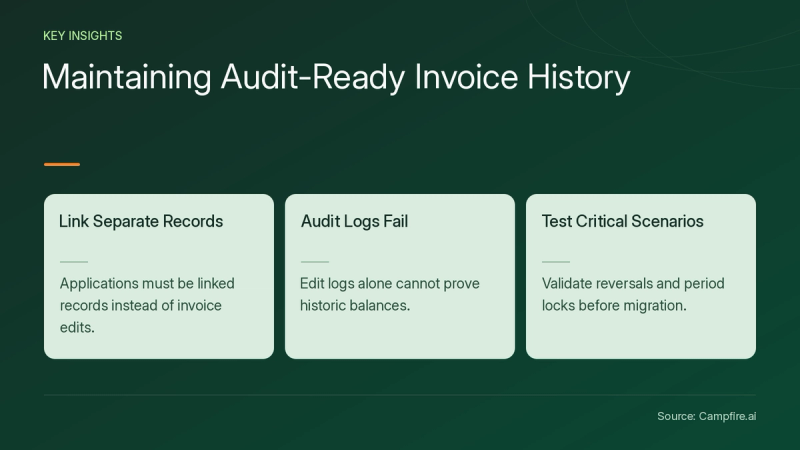
Yes, with conditions. Many accounting systems can apply a partial payment or credit note to an open invoice without overwriting that invoice, because each application is a separate, linked record. Whether the system can also show a customer's balance as of a past date depends on its design, permissions and period controls, so buyers should test that separately.

Key Takeaways
- Applications should be separate linked records, not edits to the original invoice.
- A $1,000 invoice, a $400 payment and a $150 credit leave $450 open, assuming no tax or revenue effects.
- An audit log of edits does not, by itself, prove the balance reported on a past date.
- Test backdating, reversals, closed periods and integration syncs before you buy or migrate.
How do partial payments and credit notes change the open balance?
They reduce the open balance of the invoice they are allocated to, while the invoice keeps its original amount. Each event should be traceable to its own document.
| Date | Event | Document | Change | Open balance |
|---|---|---|---|---|
| Day 1 | EventInvoice issued | DocumentINV-1001 | Change+$1,000 | Open balance$1,000 |
| Day 10 | EventCustomer pays part of the invoice | DocumentPMT-2001 | Change-$400 | Open balance$600 |
| Day 15 | EventCredit note allocated to the invoice | DocumentCN-3001 | Change-$150 | Open balance$450 |
This example is illustrative and assumes no tax or revenue recognition effects. Intuit's QuickBooks Online lesson material describes clearing documents, such as credit memos or payment receipts, that link to the open invoice through unique transaction IDs. Ledger views such as Campfire Core Accounting, which covers the general ledger, journal entries and reporting, are where you check that each row ties out.
Does the original invoice stay unchanged?
Yes, when the system uses open-item accounting and records clearing documents separately. Open-item subledgers keep each invoice and allocation visible, which is what makes the balance traceable. One industry article says modern ERPs can fully preserve original balance history, but that is a general claim, so verify it in your own system.


What should the ledger show after allocation?
The ledger should show the original invoice amount, every allocation as its own line and the resulting open balance. Unapplied payments and credit memos should remain visible until they are allocated.
Can you rebuild a customer balance as of a past date?
You can rebuild it only if the system stores effective dates, entry dates and allocation history, not just the current balance. An audit log of individual changes does not always reproduce the balance reported at the time.
- Effective vs. entry date: backdated entries should not silently change a closed report.
- Closed-period controls: edits after close should be blocked or flagged.
- Reversals: reversed payments and credits should keep their original records.
- Saved snapshots: issued reports should be exported and stored for comparison.
In March 2026, Auditoria said its SAP ECC connector distinguishes applied from unapplied payments and credit memos while keeping original invoice amounts visible. That helps, but it does not prove a complete historical balance report. Campfire Accounting Intelligence lists review and audit trails for transaction matching, which supports the review step, though you should still run your own as-of test.


What should a buyer test before relying on the system?
Run a short scripted test with one customer, one invoice and one credit before trusting the system with live balances. Repeat it after each software release.
| Test | What to verify | Pass condition |
|---|---|---|
| Partial allocation | What to verifyApply $400 to a $1,000 invoice | Pass conditionInvoice amount unchanged; open balance $600 |
| Credit allocation | What to verifyApply a $150 credit note | Pass conditionCredit linked to the invoice; open balance $450 |
| Unapplied credit | What to verifyLeave a credit unallocated | Pass conditionShown separately; net balance correct |
| Backdated entry | What to verifyPost a payment dated before a closed period | Pass conditionPrior report unchanged or the entry is flagged |
| Reversal | What to verifyReverse the $400 payment | Pass conditionOriginal payment stays visible; reversal record added |
| Report re-run | What to verifyRe-run a prior-period customer statement | Pass conditionMatches the snapshot saved when issued |
Where do integrations and overpayments break balance history?
Duplicate credits appear when an existing unapplied payment is recorded again as a credit memo. Failed syncs and reversed allocations cause similar gaps. Short payments and deductions take more effort than standard invoices; IOFM research cited by Transformance puts that effort at 3x to 5x, due to manual matching and ERP reconciliation.
- Check for an existing unapplied payment before creating an overpayment credit.
- Confirm each synced credit appears once in both systems.
- Reconcile the subledger, general ledger and bank after each sync failure.
Conclusion
Partial payments and credit notes can be applied without erasing the original invoice when the system keeps separate linked records. Historical balances need a separate test covering backdating, reversals, closed periods and exports. Use the timeline and test table above on one real customer, then get started with Campfire to see how your own close workflow handles those records.
FAQ
Does applying a credit note always reduce revenue?
No. A credit note can reduce receivables and revenue, but the accounting depends on the underlying transaction, tax treatment and revenue policy, so confirm the entries with your accountant.
Is an audit log enough to prove a past customer balance?
No. An audit log of individual changes does not by itself reproduce the accurate customer balance as of a past date, so save issued reports and test re-runs.
Should unapplied payments and credit notes be recorded separately?
Yes. Keeping them as separate documents lets you see whether a credit already exists before you create another one, which prevents duplicate credits.
Sources
- [c1] intuit.com — digitalasset.intuit.com. Accessed November 27, 2026.
- [c2] paidnice.com — paidnice.com. Accessed November 27, 2026.
- [c3] transformance.ai — transformance.ai. Accessed November 27, 2026.