Automating month-end Accruals with Ember AI


Accruals, now a one-time setup
Accruals are some of the most repetitive work in the close. Same vendors, same logic, new numbers every month. You pull from bills, payments, and your inbox, build the journal entries by hand, and then do it all again thirty days later.
Campfire's new Accruals module changes that. Ember does the discovery and the estimating. You review and post. And once you set a group up, it carries forward, so every close after the first is a quick preview, review, and post cycle instead of a rebuild from scratch.
Ember finds the work for you

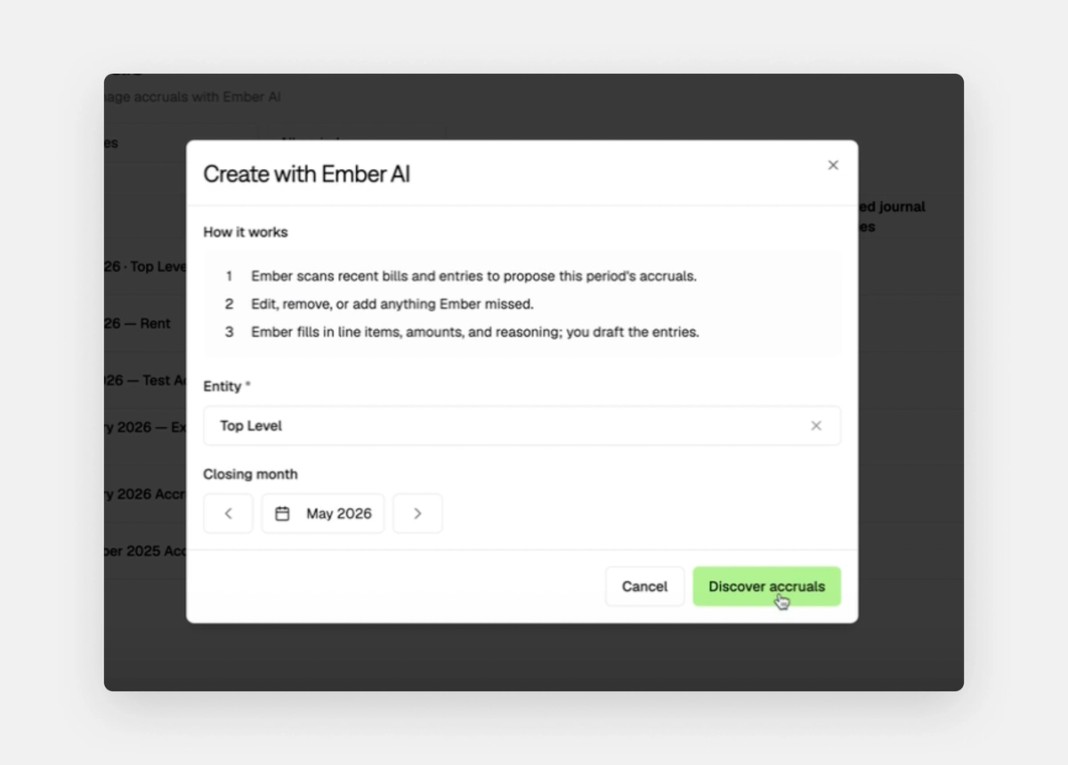
The first time you open the Accruals workspace on an entity, start with Create with Ember AI. Ember scans your historical bills, payments, and journal entries and proposes your accrual groups: recurring SaaS spend, legal retainers, utilities, and the rest. Discovery runs in the background and typically takes a few minutes. When it finishes, you have groups laid out with line-level vendor detail, ready to prepare.
Each line comes with its reasoning

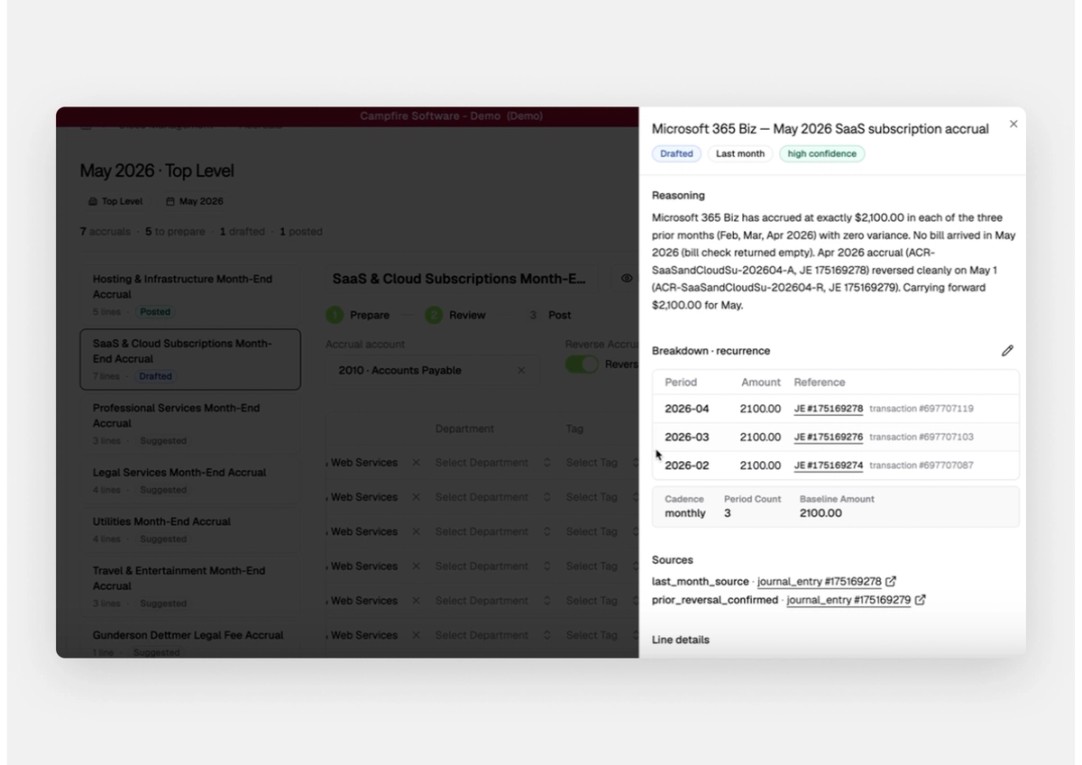
Every accrual group becomes one journal entry. Run Prepare Journal and Ember works through your trailing bills and payments to estimate each line and pick the most likely offset account.
Open the reasoning panel on any line and you can see exactly which transactions Ember pulled and how it landed on the amount, including a confidence level and links back to the source journal entries. For a recurring subscription that accrued the same amount for three straight months with no new bill, Ember carries the amount forward and shows you the three prior entries it based that on.
You stay in control
Anything Ember proposes is editable. Drop a line into Edit mode to override the description, amount, account, vendor, or department. If something is not in the books yet, a new vendor or an invoice that only exists in an email, add it yourself. Toggle Reverse Accrual on if you want the entry to reverse on the first day of the next period.
Nothing posts until you say so. When a group looks right, click Create journal entry. The accruals stay in the workspace as a permanent record linked to the posted entry, so you always have the basis for what was accrued and why.
Set it up once, reuse it every month

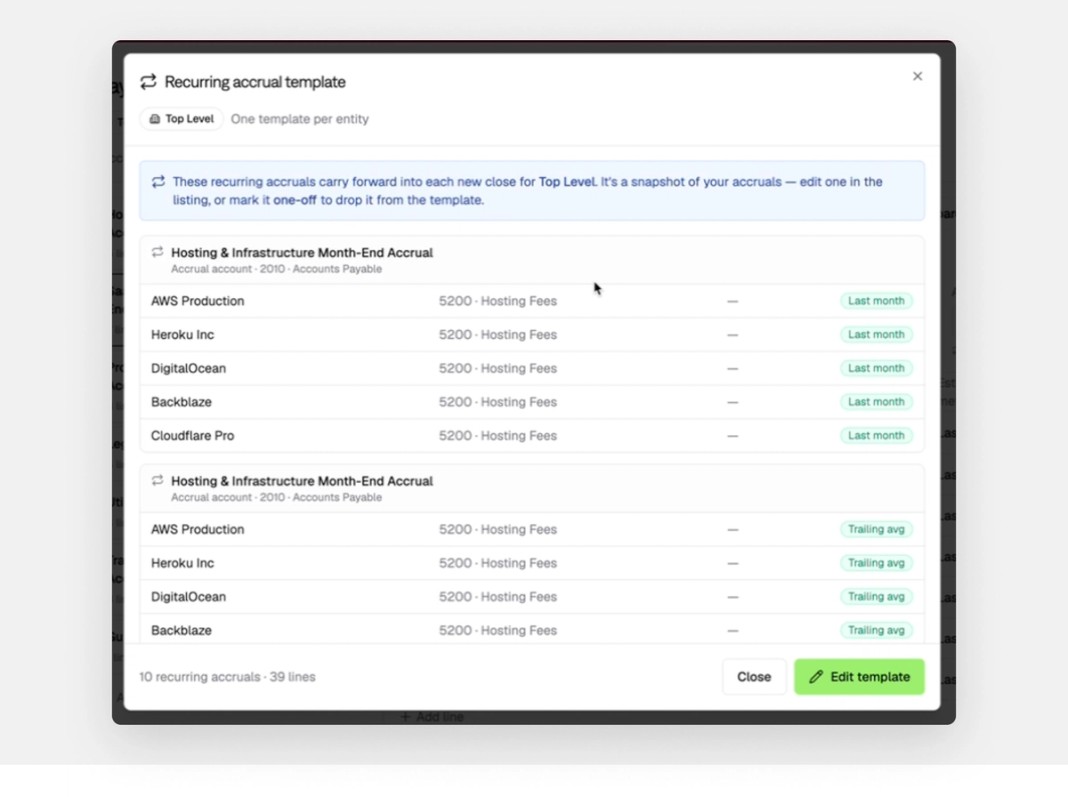
Toggle a group to Recurring and it becomes part of your rolling template. Preview the recurring template anytime to see what carries forward.
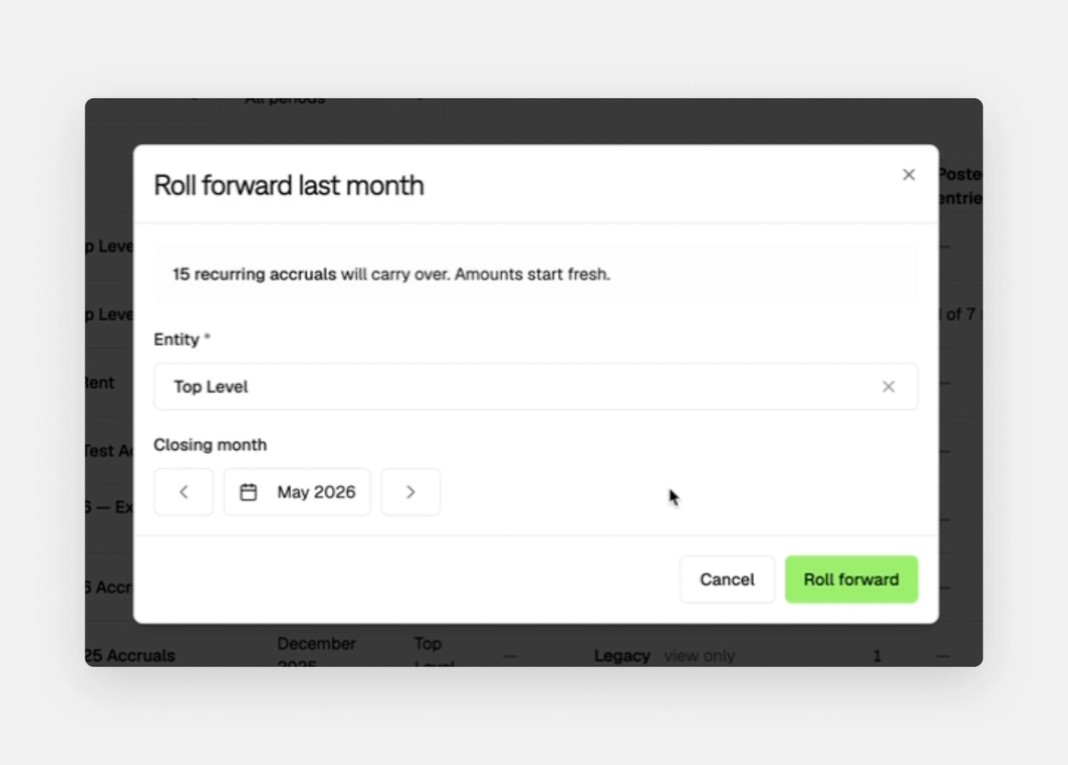
Next close, instead of running discovery again, choose Roll forward last month. The same groups reappear with the same vendors and offset accounts, ready for you to run Prepare Journal and fill in the current month's numbers. Your first close does the setup. Everything after is preview, review, and post.

Why it matters
The accrual module replaces spreadsheet hand-offs with a single durable surface, keeps a permanent record linked to every posted journal entry, and lets you reuse your setup across periods without redoing the work. Recurring accruals stop being a monthly rebuild and become a quick confirmation.
See it in your next close. Read the full walkthrough, including a three-minute video, in the help center, or book a demo to see Campfire in action.