Lease Accounting is Now Live in Campfire



We've been doing lease accounting the same way everyone else does it: spreadsheets, present value formulas, and a lot of copy-paste at close. Starting today, that's no longer necessary.
Campfire now includes a native Leases module, built for ASC 842 compliance, integrated directly into your close workflow.
Here's what that means for your team.
What Is the Leases Module?
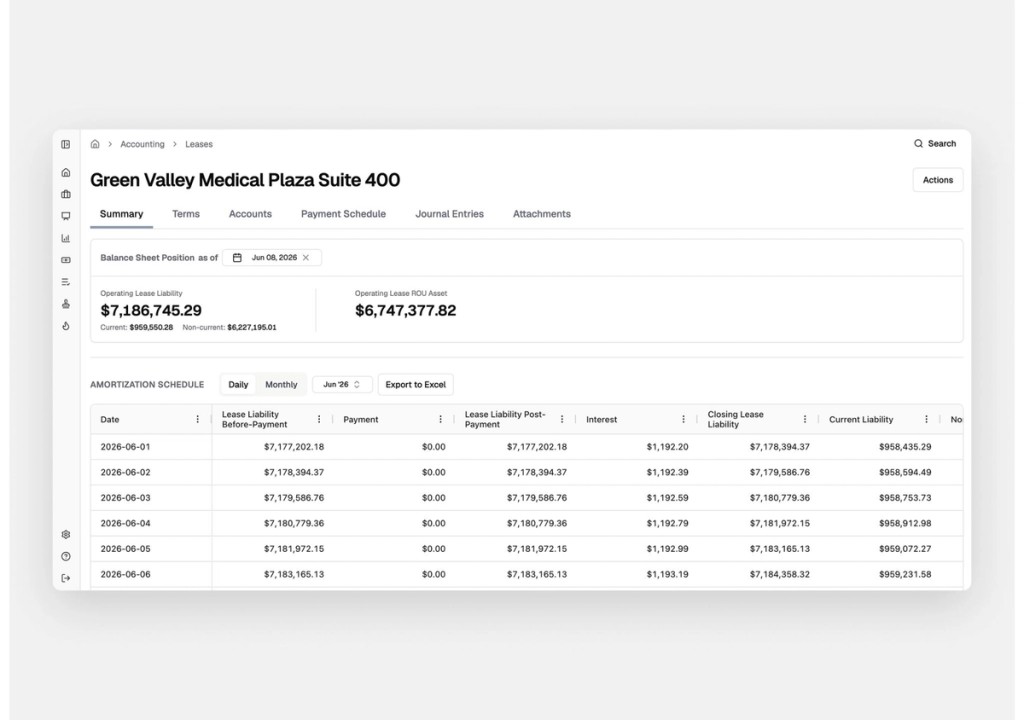
The Leases module lives under Accounting in the Campfire navigation. It's where you manage your operating lease payment schedules, track your lease liability and right-of-use (ROU) asset balances, and create journal entries, without touching a spreadsheet.
ASC 842 requires companies to recognize most leases on the balance sheet as both an asset and a liability. Campfire handles the math and the entries so your team doesn't have to.

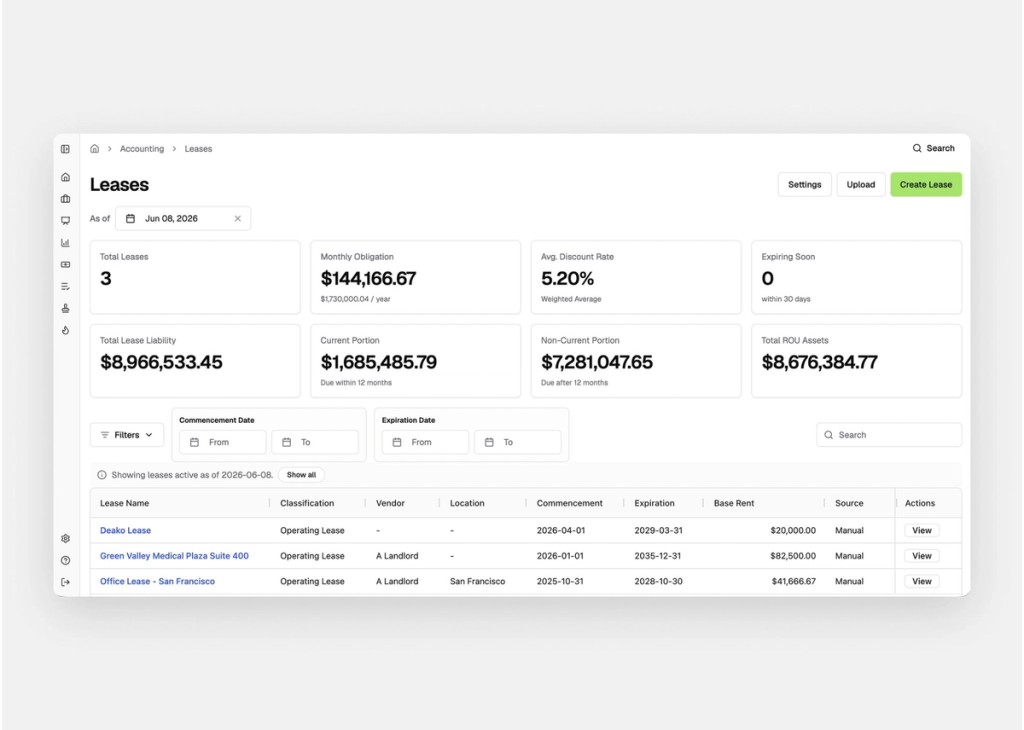
What You Can Do With It

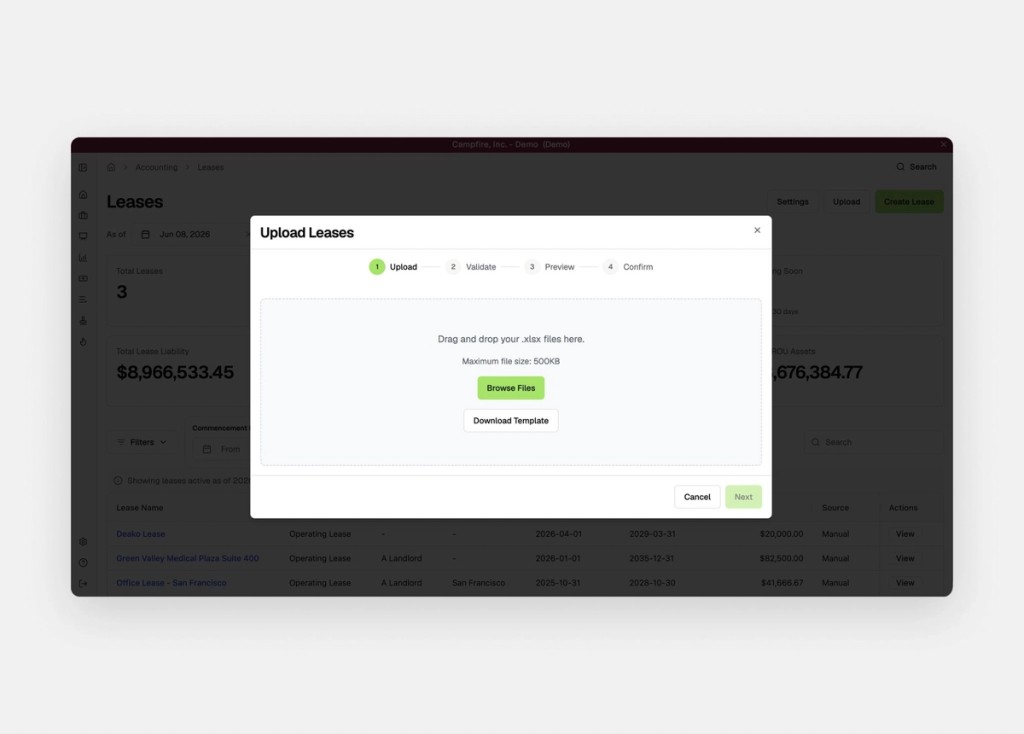
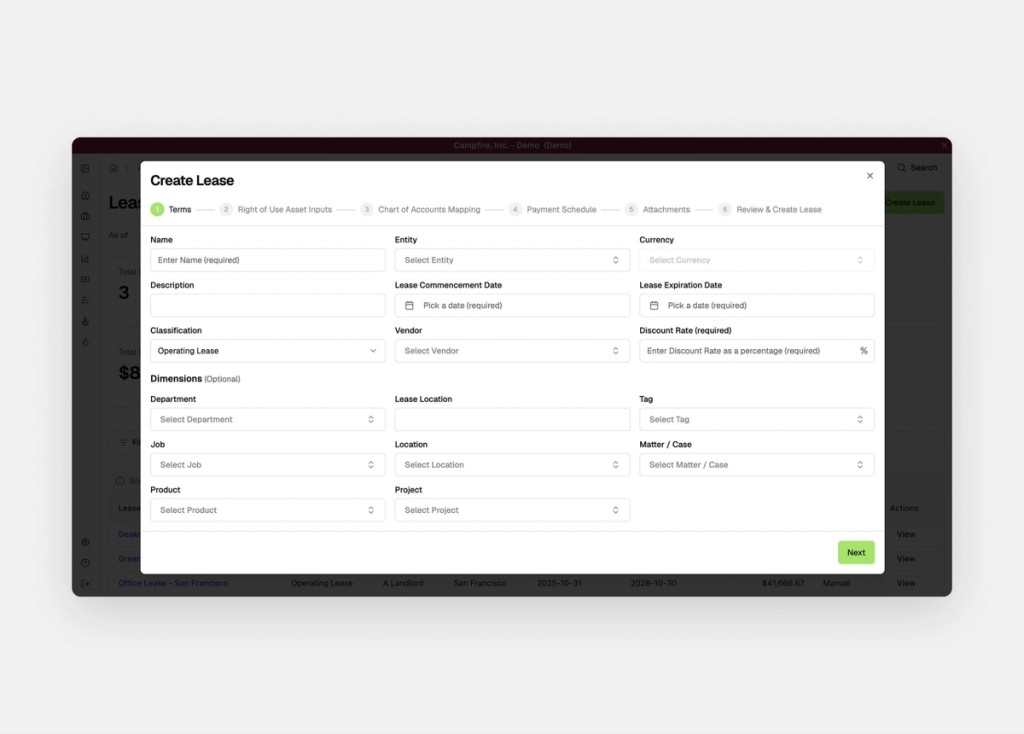
Upload your lease schedule once. Enter your lease terms, payments, and discount rate. Campfire calculates the present value of future payments, sets up your liability amortization schedule, and tracks your ROU asset from there.

Draft journal entries at close. Lease accounting is now a Close Checklist item. Each period, Campfire drafts the entries you need: lease liability reduction, interest expense, and ROU asset amortization. One click to review and post.
See the impact on your financials. Your balance sheet and income statement update automatically. ROU assets and lease liabilities show up where they should, and your lease expense hits the income statement without any manual calculation.

Get Started
If you're already a Campfire customer, the Leases module is available now under Accounting in the navigation. If you're not, book a demo to see it in action.