Account Reconciliation Automation Controls: Design and Testing Guide
Listen to article
9:58
Account reconciliation automation controls prove that an automated match is complete, accurate and reviewed. For the full process, start with the account reconciliation procedures guide.

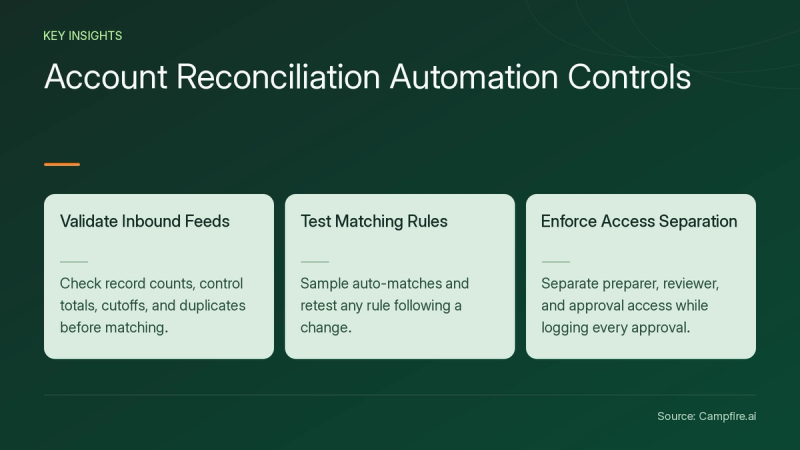
Key Takeaways
- Validate every feed for record counts, control totals, cutoffs and duplicates before matching runs.
- Test auto-matches by sampling them, and retest any rule after a change.
- Separate preparer, reviewer and journal-approval access, and record each approval.
- Run manual and automated reconciliations in parallel with written acceptance thresholds and a rollback plan.
What controls does automated reconciliation require?
Automated reconciliation requires controls over four points: source completeness, matching logic, exception handling and evidence. Each control needs a named owner, a frequency and a reviewer who did not prepare the work.
| Risk | Control | Owner | Frequency | Evidence |
|---|---|---|---|---|
| Incomplete bank feed | ControlCompare record count and control total to the bank statement | OwnerAccounting Manager | FrequencyEach close | EvidenceSigned count sheet |
| Duplicate or missing records | ControlDuplicate-candidate report and missing-period check | OwnerFinance Systems Owner | FrequencyEach import | EvidenceException log |
| Incorrect matching rule | ControlWritten rule-change approval and sample test | OwnerController | FrequencyEach change | EvidenceChange record and test results |
| Aged unexplained items | ControlAging review with escalation | OwnerAccounting Manager | FrequencyWeekly and at close | EvidenceAging report with disposition |
| Unauthorized journal | ControlSeparate preparer, reviewer and journal approver | OwnerController | FrequencyEach journal | EvidenceSystem approval log |
Note: Owners are role titles. Frequencies are illustrative and should follow your own risk assessment.
Software does not establish SOX compliance on its own. Controls still need design review and operating-effectiveness testing. Keep the records described in the account reconciliation supporting documentation guide with each close file.
Suspicious payment exceptions need verification outside the reconciliation. The Association of Certified Fraud Examiners occupational fraud research is a useful reference for these risks.
How do you validate feeds and test matching rules?
Validate feeds before matching and test rules before trusting their output. Both steps should produce records that a reviewer can inspect.
What should a feed check confirm before matching?
A feed check confirms that every expected record arrived once and that counts and totals agree to the source control total.


- Confirm that every line falls within the period cutoff.
- Compare record count and total amount to the bank statement or source report.
- Flag duplicate transaction IDs.
- If any check fails, hold matching and notify the Finance Systems Owner.
How do you test auto-matches for false positives?
Test auto-matches by sampling them and checking each pair against source documents. Reviewers should also examine near-match candidates that the rule almost accepted.
Hypothetical example: a sample of 50 auto-matches from 600 includes 2 wrong pairings. The team tightens the amount tolerance and retests the same sample before reactivating the rule.
How do you approve and roll back a rule change?
Approve each rule change in writing, test it on prior-period data, and keep the previous version so it can be restored. Record who approved the change and why.
Worked example: how does a bank-to-GL reconciliation handle timing items?
A bank-to-GL reconciliation treats timing items as carryforwards and errors as items needing an approved journal. The hypothetical cash account below uses period-end figures.
| Line | Amount (USD) | Type | Action |
|---|---|---|---|
| Bank statement balance | Amount (USD)48,200.00 | TypeSource | ActionStarting point |
| Add: deposit in transit | Amount (USD)3,000.00 | TypeTiming | ActionCarry forward to next period |
| Less: outstanding check 1043 | Amount (USD)(1,800.00) | TypeTiming | ActionCarry forward to next period |
| Adjusted bank balance | Amount (USD)49,400.00 | TypeCalculated | ActionMust equal adjusted GL |
| GL balance before adjustment | Amount (USD)49,550.00 | TypeSource | ActionStarting point |
| Less: bank fee not recorded | Amount (USD)(150.00) | TypeError | ActionPost Controller-approved journal |
| Adjusted GL balance | Amount (USD)49,400.00 | TypeCalculated | ActionMatches adjusted bank |
In the next period, mark the deposit as cleared when it posts on day 2 and check 1043 as cleared when it clears on day 5. Any timing item still open after the agreed threshold moves to exception review, as described in the bank reconciliation unmatched transactions guide.


How do automation tools compare on control coverage?
The supplied vendor pages cover matching and workflow well but describe feed validation and rule testing thinly. Campfire's Accounting Intelligence page lists bank matching, duplicate detection and exception flags with review and audit trails.
| Control area | Campfire | FloQast | Rillet | Redwood |
|---|---|---|---|---|
| Feed validation (counts, cutoffs) | CampfireNative real-time integrations; count and cutoff checks not described | FloQastIntegrations listed; validation procedure not described | RilletIngestion described; counts and cutoffs not specified | RedwoodData integration described; validation steps not specified |
| Duplicate detection | CampfireDuplicates flagged | FloQastNot described | RilletNot described | RedwoodNot described |
| Preparer and reviewer separation | CampfireGranular permissions and approval workflows | FloQastPreparer and reviewer assignments | RilletAI approval described; separation not detailed | RedwoodRisk-based approval described |
| Matching rule testing | CampfireNot described on supplied page | FloQastNot described | RilletPeriodic rule review; no test script | RedwoodMatching described; no tests |
| Parallel run | CampfireNot described on supplied page | FloQastNot described | RilletSix-step sequence includes parallel run | RedwoodNot described |
| Audit evidence | CampfireAudit trails described | FloQastAudit reports described | RilletCertification step described | RedwoodArchiving described |
Note: Cells reflect supplied page text only. "Not described" means the page does not cover it, not that the product lacks it.
Campfire's core accounting page states SOC 1 and SOC 2 certification and describes audit trails needed for SOX compliance. Test those features against your own control design before relying on them.
How do you run a parallel test and cutover?
A parallel test runs manual and automated reconciliations side by side for at least one full close. Define acceptance thresholds and a failed-feed rule before the test starts.
- Record a baseline of cycle time and exception count from the manual process. The APQC bank reconciliation cycle time research offers a reference for measuring that baseline.
- Run both methods in parallel for one full close.
- Compare results line by line and log every difference.
- Accept cutover only when the agreed thresholds are met. Hypothetical threshold: no unexplained differences and every sampled auto-match tested correctly.
- Set a failed-feed rule. Hypothetical rule: if a feed fails validation in two consecutive closes, revert that account to manual reconciliation.
- Keep the manual template for one full close after cutover. Set exception aging thresholds using the account reconciliation aging policy guide.
Conclusion
Combine feed validation, tested matching rules, separated approvals and a documented cutover to build controls that reviewers and auditors can follow. Teams ready to test this design can get started with Campfire.
FAQ
Does automated reconciliation make a company SOX compliant?
No. Automation supports control design, but auditors still need evidence that controls operated, including reviewer sign-off, rule-change approvals and exception records.
How many auto-matches should a team sample?
Sample size depends on your risk assessment and transaction volume, so document the rationale for the size you choose. The worked test above used 50 of 600 auto-matches as a hypothetical example.
When should a team pause automated matching?
Pause matching when a feed fails validation or when false positives exceed the threshold your team agreed in advance. Return to the manual template until the cause is fixed and the rule is retested.
Who should approve automated journal entries?
The approver should be someone other than the preparer, typically the Controller, and the approval should be recorded in the system before posting.
Sources
- [c1] pendraco.com — pendraco.com. Accessed November 29, 2026.
- [c2] apqc.org — apqc.org. Accessed November 29, 2026.