Best Accounting Automation Software: 8 Tools Compared by Workflow Fit
Listen to article
30:58
The best accounting automation software is the tool that automates your highest-volume workflow while keeping review, posting and audit evidence under your control. If you need a replacement general ledger, the shortlist below covers Campfire, Digits, DualEntry, NetSuite and Sage Intacct. If you want automation on top of an existing ledger, it covers BILL Accounts Payable for payables, and BlackLine and FloQast for close and reconciliation.
Disclosure: Campfire publishes this guide and lists itself first. That placement is publisher positioning, not an independent score, award or test result. Every vendor, including Campfire, is described only from its own public pages, and every profile names limitations and demo questions.
Vendors increasingly market AI agents and automation rates, but a vendor's headline figure doesn't predict what its product will do for your team. This guide focuses on what you can verify in a demo.

Key Takeaways
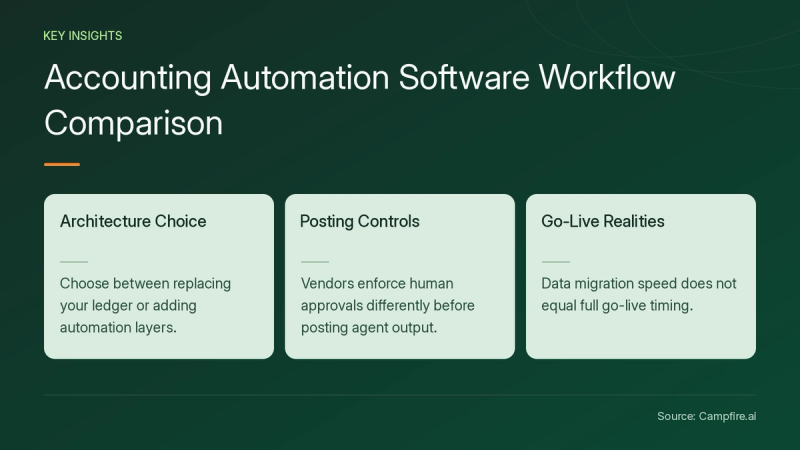
- Decide first between a replacement general ledger (Campfire, Digits, DualEntry, NetSuite, Sage Intacct) and an automation layer on your current ledger (BILL, BlackLine, FloQast).
- Extraction accuracy is not posting accuracy. BILL's 99% field-capture figure covers the top 20% of common bills with consistent layouts, per its AP page.
- Posting policies differ. FloQast and Sage Intacct document human approval before agent output posts. Digits' firm-focused Agentic Close page says 95%+ of transactions post without a human touch but doesn't state which plans or transactions that figure covers.
- Only Digits (subscriptions) and BILL (time-limited 1099 form pricing) publish software prices in the supplied sources, and DualEntry publishes a $0 implementation fee. The other vendors require a quote or don't document pricing.
- Migration speed is not go-live. DualEntry cites both 24-hour migration and a 4 to 6 week go-live. Campfire separates 15-minute data migration from going live by the next close, and Sage says Intacct implementations typically take 3 to 6 months.
How Did We Choose These Accounting Automation Tools?
We chose eight tools that document at least one core accounting automation workflow on their official pages, then compared them against eight buyer criteria. This is not hands-on testing, an independent score or a complete market census.
- Deployment fit: replacement general ledger or automation layered onto your existing system.
- Workflow coverage: invoice capture, coding, approvals, payments, reconciliations, journal entries and close.
- Integration depth: bank feeds, ERP sync, payroll and billing connections, API access and failed-sync handling.
- Automation oversight: correct coding, duplicate detection, exception routing and human approval before posting.
- Financial controls: permissions, segregation of duties, period locks and exportable audit trails.
- Organizational complexity: multi-entity consolidation, intercompany eliminations, currencies and accounting standards.
- Reporting and close: statements, drill-down, reconciliation status and task ownership.
- Total cost: migration, configuration, training, subscriptions, transaction fees, modules and administration.
If you run several legal entities, our guide to choosing accounting automation software for multi-entity businesses adds an intercompany test you can run in any demo.
Main Shortlist: Best Accounting Automation Software Compared
The table below summarizes each tool's documented fit, differentiator, tradeoff and price evidence.
| Product | Best for | Supported differentiator | Tradeoff | Documented price |
|---|---|---|---|---|
| Campfire | Best forMid-market teams replacing a GL and running multiple entities | Supported differentiatorAI-native ERP with GL, revenue automation, close management and a Migration Agent that ties out migrated accounts | TradeoffRequires a GL switch. Verification note: the supplied pages don't document native invoice capture or vendor payments, so ask whether AP runs through integrations such as BILL or Ramp | Documented pricePricing not documented in supplied sources |
| BILL Accounts Payable | Best forSMB and midsize AP teams keeping their current ledger | Supported differentiatorAI bill capture, 2- and 3-way matching, approval routing and multiple payment rails | TradeoffNot a general ledger; syncs to QuickBooks, NetSuite, Xero, Sage Intacct or Dynamics | Documented priceAP plans not documented; direct-business 1099 forms $0.84 to $2.99 each after a time-limited rebate |
| BlackLine | Best forEnterprises closing across one or many ERPs, including SAP | Supported differentiatorJournal creation and ERP posting with configurable auto-certification | TradeoffLayer over the ERP, so ERP costs remain | Documented pricePricing not documented in supplied sources |
| Digits | Best forUS small businesses, startups and accounting firms | Supported differentiatorAI-native GL that books, reconciles and reviews continuously | TradeoffUS entities only; consolidated reporting runs through a partner | Documented price$65, $100 or $250 per month |
| DualEntry | Best forLean mid-market teams leaving QuickBooks or a legacy ERP | Supported differentiatorAI ERP with AP capture, 2-, 3- or 4-way matching and multi-book ledgers | TradeoffAP is not sold standalone; full ERP switch required | Documented price$0 implementation fee; subscription pricing not documented |
| FloQast | Best forControllers automating close and reconciliations on an existing ERP | Supported differentiatorNo-code AI agents with human approval before anything hits the books | TradeoffNot a GL; ledger and AP tools stay separate | Documented priceQuote required |
| NetSuite Cloud Accounting Software | Best forCompanies needing finance plus inventory, order, HR and project modules | Supported differentiatorBroad suite in which accounting connects to inventory, order management, HR, CRM and ecommerce, with optional add-on modules | TradeoffAdd-on modules and a one-time implementation fee | Documented priceAnnual license and one-time implementation fee; Connector is an add-on; NetSuite's accounting page says accounting is included in the platform license; amounts not documented |
| Sage Intacct | Best forGrowing and midsize organizations above about $4 million revenue or 20+ employees | Supported differentiatorBuilt-in Close, AP, Financial Assurance and Finance Intelligence agents | Tradeoff3 to 6 month typical implementation; annual subscription | Documented priceQuote required |
Table links: direct-business 1099 forms $0.84 to $2.99 each after a time-limited rebate · $65, $100 or $250 per month · $0 implementation fee · Quote required · Annual license and one-time implementation fee; Connector is an add-on · Quote required
Table note: price cells link to the vendor page that documents them. Other claims are sourced in each profile below.
1. Campfire

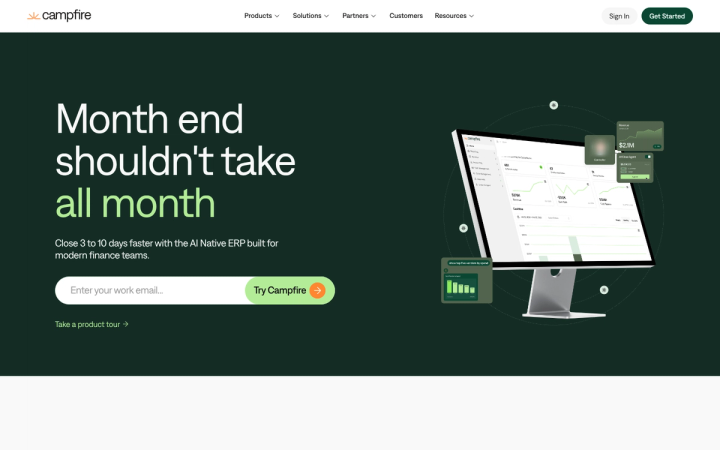
Campfire · https://campfire.ai/
Campfire is best for:
- Mid-market finance teams replacing QuickBooks, NetSuite or another general ledger
- Companies running multiple entities and currencies that want consolidation in one instance
- Teams that want revenue recognition, reporting and close management in the same system as the ledger
Capabilities: The Campfire homepage describes an AI-native ERP that combines general ledger, revenue automation, reporting and close management, including close checklists, flux analysis and account reconciliation. It lists 180+ currencies, unlimited entities, 1,200+ granular permissions, approval workflows and 100+ native integrations, plus Ember, an AI assistant for questions about your books. The homepage says teams close 3 to 10 days faster. That is a vendor claim with no documented scope, and results vary, so test it against your own close.
Workflow effects: The integrations page describes a connection layer that syncs banking, payroll, revenue and tax data, with connectors for ADP, Rippling, Stripe, Ramp, BILL, Tipalti and FloQast. The mid-market solutions page says Campfire automates bank reconciliation and ARR waterfalls and can be customized without developer support. The homepage separately describes continuous reconciliation and automatic payment-to-invoice matching "with control." The supplied pages don't say which reconciliations or categorizations post automatically and which surface for review, so test that in a demo.
Implementation: The Migration Agent page says the chart of accounts, vendors, departments and entities load first, conflicting entries are flagged rather than guessed, balance and format checks run before writes, and nothing posts until a person approves it. A workbook with live formulas compares old and new balance sheets account by account, and history comes across at transaction level. The 15-minute figure covers data migration; Campfire says most teams are live by their next close, and you can test your own data in a sandbox before signing.
Limitations: Verification note: the supplied pages don't document native invoice capture or vendor payments, so ask whether AP would run through integrations such as BILL or Ramp. In the pages reviewed, inventory appears as integrations (Cin7, DOSS), so ask about operational modules if you need them. Pricing is not documented in supplied sources.
Demo question: Show an AI-categorized transaction moving from suggestion to review to posting, and which role can override it.
2. BILL Accounts Payable

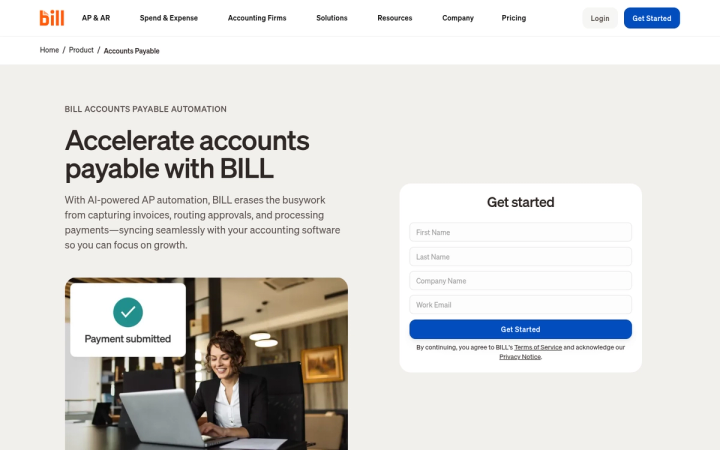
BILL Accounts Payable · https://www.bill.com/product/accounts-payable
BILL Accounts Payable is best for:
- AP teams keeping QuickBooks, NetSuite, Xero, Sage Intacct or Dynamics as the ledger
- Businesses paying many vendors by ACH, card, check or international wire
- US companies that want 1099 filing tied to AP records
Capabilities: The BILL AP page says BILL AI codes multi-line bills, cutting manual time by 20% based on an analysis of alpha customers, and captures key fields with 99% accuracy. The footnote limits that figure to the top 20% of common bills with consistent layouts and user behavior; the same page cites 95% day-one capture accuracy. BILL also documents 2- and 3-way matching, customizable approval routing, duplicate flagging, a time-stamped audit trail and paying up to 2,000 bills at once.
Workflow effects: BILL reports 8 hours a week saved on AP, based on a 2026 survey comparing customers with non-customers. The multi-entity page adds a single view across entities and a top-level intake email, and says bills and card transactions sync to each entity's own books. The BILL API page says the v3 API is free.
Limitations: BILL is not a ledger, so reconciliations and close stay in your accounting system. Field capture is not the same as correct GL coding, so test posting results, not just extraction.
Pricing: AP plan pricing is not in the supplied sources. For forms filed through January 31, 2027, the 1099 page lists effective direct-business prices from $2.99 per form at 1 to 200 forms down to $0.84 at 2,001+. The discount is issued as a rebate on March 2, 2027, and accountant partners pay $1.99 at the lowest volume tier. Forms purchased after February 1, 2027 are charged standard pricing ($2.99 direct, $1.99 accountant). Mailing costs +$1.99 and direct state filing +$1.49, and neither add-on is eligible for the rebate. 1099 Filing is available only to BILL AP customers.
3. BlackLine

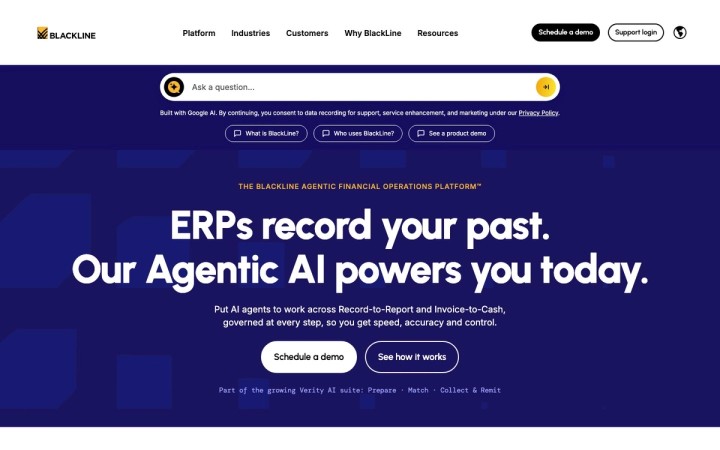
BlackLine · https://www.blackline.com/
BlackLine is best for:
- Enterprises closing across SAP, Oracle, NetSuite, Dynamics or several ERPs at once
- Controllers who need journal governance and auditor self-service
- Teams adding intercompany and invoice-to-cash automation beside the close
Capabilities: The BlackLine homepage describes a platform spanning Record-to-Report and Invoice-to-Cash, with a Finance Control Console for human-in-the-loop governance of BlackLine and third-party agents. The Journal Entry page documents automatic journal creation and ERP posting, standardized templates, auto-certification of reasonable entries through configurable rules, and approval routing by amount threshold and role across 40+ ERP and financial systems. Auditors can receive role-based, read-only access.
Workflow effects: For SAP users, BlackLine's French-language Smart Close page cites 400+ manual SAP steps automated and 60% of close time saved, using existing SAP roles. The page doesn't say which customers or configurations those figures cover. The ERP integration page says BlackLine connects to any number of GLs simultaneously and holds ISO 27001 and SOC 2 Type II certifications.


Limitations: BlackLine complements the ERP rather than replacing it. Pricing and implementation timelines are not documented in supplied sources.
Demo question: Which auto-certification rules would apply to your top 20 recurring journals, and how do exceptions route?
4. Digits

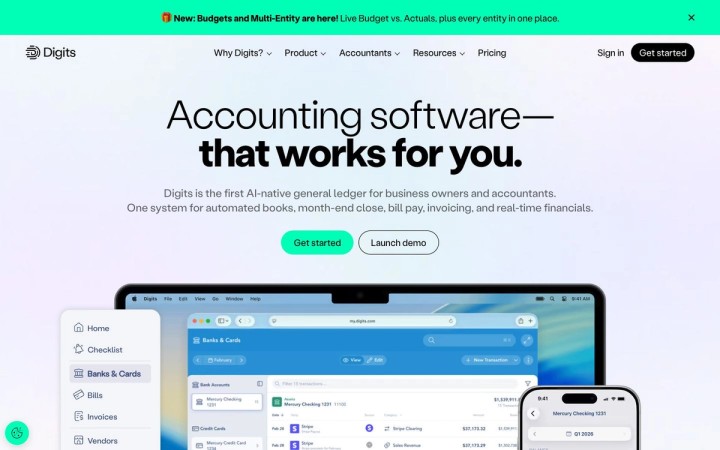
Digits · https://digits.com/
Digits is best for:
- US small businesses and startups that want an AI-native ledger with published prices
- Accounting firms managing many client books from one dashboard
- Product teams building on a ledger API
Capabilities: The Digits homepage describes an AI-native general ledger covering automated books, month-end close, bill pay, invoicing and financials. The Agentic Close page lists six steps (collect, book, reconcile, schedule, review, report). It surfaces lower-confidence items for review and lets you configure quality checks by party, category and materiality threshold. The page, which is aimed at accounting firms, says 95%+ of transactions post without a human touch, but it doesn't state which plans, transaction types or customers that figure covers.
Workflow effects: The Digits API page documents idempotent writes, an OpenAPI spec, a sandbox and an MCP server. It says changes made through MCP run with your permissions and that nothing in a locked period posts until you approve it. Digits' pricing FAQ says higher tiers add close automation and that accounting firms can use Agentic Close across clients, so ask which direct business plan includes the Agentic Close workflow.
Limitations: The pricing FAQ limits service to US-based entities. Each entity keeps its own ledger, and consolidated reporting runs through a Reach Reporting partnership. Digits does not file taxes. Dimensional accounting and automated schedules start at Core; budget vs. actuals is Pro only.
Pricing: Essentials is $65, Core $100 and Pro $250 per month. Additional entities are free up to 250 transactions a year, then start at $35 per month. Digits lists no setup fees and a 30-day trial.
5. DualEntry

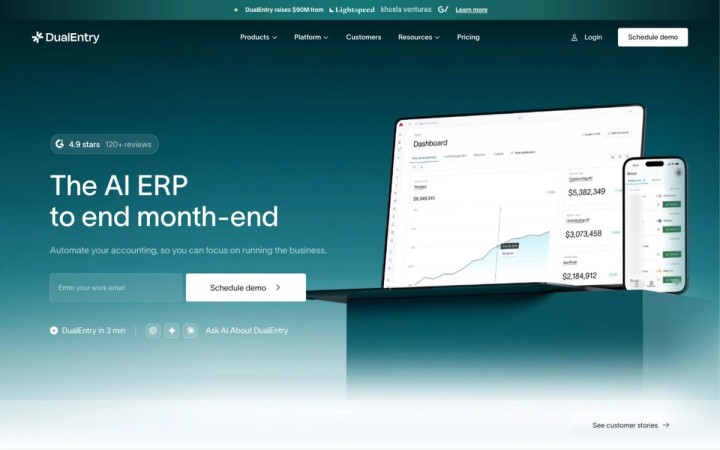
DualEntry · https://www.dualentry.com/
DualEntry is best for:
- Lean mid-market teams replacing QuickBooks or a legacy ERP
- Companies needing multi-entity, multi-currency and parallel GAAP, IFRS and tax books
- Buyers who want their own data in a sandbox before committing
Capabilities: The DualEntry homepage lists GL, AP, AR, close, reconciliation, revenue recognition, multi-entity consolidation and multi-book accounting. The AP automation page documents OCR capture with split-screen review, 2-, 3- or 4-way matching without templates, discrepancy flags for human review, duplicate detection, automatic journal entries, review of changed vendor bank details, AP period locking, audit trails and SOC 2 Type I and II certification.
Implementation: DualEntry's implementation page promises migration in 24 hours, including transaction history and documents. It also offers a free sandbox with your real data before you commit, $0 implementation fees, and a US-based, CPA-led implementation with go-live in 4 to 6 weeks. The site also uses "go live in 24 hours" wording in its navigation and says books are live the next day after migration. Ask DualEntry what each timeframe covers: data import, sandbox, first close or full go-live.
Limitations: The AP FAQ says AP is not sold standalone. The implementation FAQ says there is no free trial. Subscription pricing is not documented in supplied sources.
Demo question: Try to post a bill into a locked period and show who can override the lock.
6. FloQast

FloQast · https://www.floqast.com/
FloQast is best for:
- Controllers keeping NetSuite, SAP, Workday, Sage Intacct, Xero or QuickBooks
- Teams with high-volume transaction matching
- Companies managing SOX controls and audit evidence
Capabilities: The FloQast homepage covers close management, Close AI and risk and compliance. Close AI includes agents, matching, automated reconciliations, variance analysis, anomaly detection, and journal entry management that FloQast describes as prepare, approve and auto-post. The homepage states that nothing hits your books without human approval, which indicates that entries auto-post to the ERP after a person approves them; confirm that sequence in a demo. The homepage also cites ISO 42001 certification and SOC 2 Type II compliance. The reconciliation page says AI rules reconcile up to 98% of transactions instantly but doesn't state which transaction types or customers that figure covers. The same page says FloQast auto-certifies reconciliations within your materiality and tolerance thresholds, routes exceptions to control owners and enforces preparer and reviewer workflows.
Workflow effects: Adara McGrane of Salad and Go said, "Matching 98% of 50,000+ transactions in seconds takes care of what used to be a four-hour daily task." The FloQast integrations page lists ADP, Bill.com, Brex, Coupa, Ramp, Rippling and Stripe, plus bank integrations.
Limitations: FloQast is not a ledger. "Up to 98%" is a ceiling, not a guarantee.
Pricing: FloQast's AWS page directs buyers to request a quote; it is also available through AWS Marketplace.


7. NetSuite Cloud Accounting Software

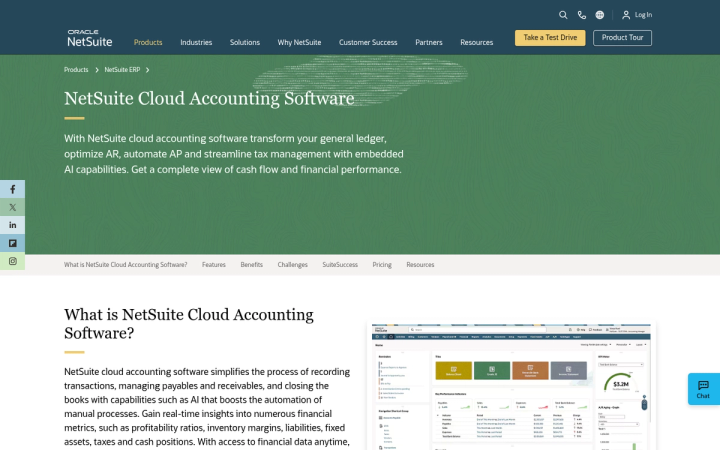
NetSuite Cloud Accounting Software · https://www.netsuite.com/portal/products/erp/financial-management/finance-accounting.shtml
NetSuite Cloud Accounting Software is best for:
- Companies needing finance plus inventory, order management, HR and CRM in one suite
- Groups managing tax across subsidiaries and intercompany reconciliation in one suite
- Project-based services firms that will add SuiteProjects
Capabilities: The NetSuite accounting page documents GL, cash management, AR, AP with automated review and approval workflows, and reconciliation for bank, card, prepaid, inventory, accrual, fixed-asset and intercompany accounts. It also covers tax across subsidiaries, close management and compliance with ASC 606, GAAP and SOX, and says accounting connects to inventory, order management, HR, CRM and ecommerce.
Workflow effects: The PSA page adds project accounting, resourcing and time tracking as an add-on module. On the enterprise page, Omnicell's Arvind Sathyamoorthy describes NetSuite's role in the company's two-tier ERP strategy for consolidating new business segments, acquisitions and markets. That is one customer's approach, not a packaged feature.
Limitations and pricing: NetSuite licenses combine core platform, optional modules and users, plus a one-time implementation fee. Accounting is included in the platform license, while Connector and SuiteProjects are add-on modules. Amounts and timelines are not documented in supplied sources.
8. Sage Intacct

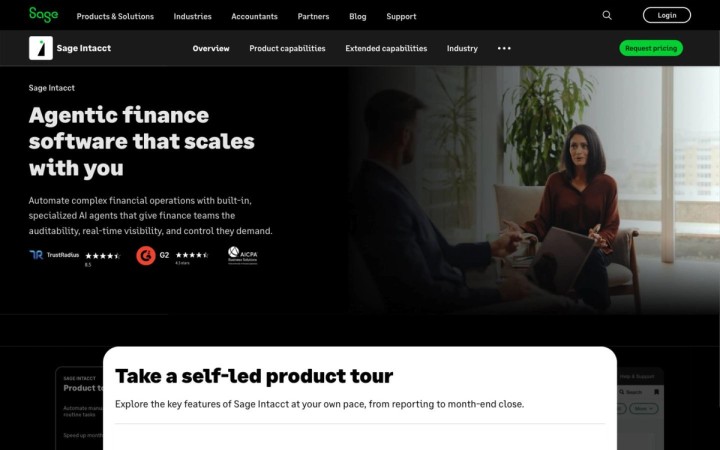
Sage Intacct · https://www.sage.com/en-us/sage-business-cloud/intacct/
Sage Intacct is best for:
- Organizations above about $4 million revenue or 20+ employees, per Sage
- Multi-entity groups needing dimensional reporting and consolidations
- Salesforce-centric quote-to-cash teams
Capabilities: Sage's Intacct overview lists Finance Intelligence, Close, AP, Financial Assurance and Time agents, multi-entity consolidation and 350+ marketplace integrations, and says agents work within your controls with human approval required. Sage claims up to 90% fewer manual tasks. The close automation page covers interactive checklists, variance analysis and subledger reconciliation reports, and says the Close agent does not post entries without your approval.
Workflow effects: The Salesforce integration page describes a Sage-built and supported CRM connector. The Platform Services page supports custom objects and workflows, but the developer subscription is an add-on. Per Sage, using a platform application built by a marketplace partner does not require that subscription.
Limitations and pricing: Implementation typically takes 3 to 6 months, subscriptions are annual, a sandbox is an additional module and pricing requires a quote.
How Much Do These Tools Post Without Human Review?
Documented posting policies range from human approval before anything posts to automatic posting for high-confidence items. Compare suggestion, review and autonomous posting as separate levels of automation.
| Product | Documented posting or approval control | Demo test |
|---|---|---|
| Campfire | Documented posting or approval controlMigration Agent: migrated entries post only after a person approves. Approval policy for ongoing AI categorization and reconciliation not documented; test in demo. Approval workflows and 1,200+ permissions listed | Demo testChange an AI category and check the activity log |
| BILL Accounts Payable | Documented posting or approval controlRule-based approval routing before payment; data syncs to the GL | Demo testEdit a coded line after approval and confirm it re-routes |
| BlackLine | Documented posting or approval controlAuto-certifies reasonable entries under configurable rules; threshold-based approvals | Demo testPush an entry just over threshold |
| Digits | Documented posting or approval controlFirm-focused Agentic Close page says 95%+ of transactions post without a human touch (plans and transactions unspecified); lower-confidence items surface for review; MCP changes to locked periods need approval | Demo testReview last month's unreviewed postings |
| DualEntry | Documented posting or approval controlDiscrepancies flagged for human review; AP period locks | Demo testAttempt a locked-period posting |
| FloQast | Documented posting or approval controlNothing hits the books without human approval; JE management auto-posts to the ERP after approval, per FloQast | Demo testApprove, then reverse, an agent-drafted entry |
| NetSuite Cloud Accounting Software | Documented posting or approval controlAutomated AP review and approval workflows | Demo testRoute a bill that breaks policy |
| Sage Intacct | Documented posting or approval controlAgents require human approval; Close agent does not post without approval | Demo testTrace an agent action to its approver |
Which Accounting Automation Software Fits Your Company Size?
The right fit depends on entity count, existing ledger and how much of the stack you want to replace. Each list below is ordered by documented fit for that segment.
Which tools fit small and growing businesses?
Digits and BILL suit many small businesses because both publish entry points and work with simple structures.
- Digits: published monthly tiers and a 30-day trial for US entities.
- BILL Accounts Payable: adds AP automation to QuickBooks or Xero without a ledger switch.
- Campfire: fits growing companies that already need multi-entity or revenue automation; pricing isn't published, so request a quote.
- DualEntry: fits companies ready for a full ERP, since AP is not sold standalone.
Which tools fit mid-market companies?
Mid-market teams usually need multi-entity consolidation, stronger controls and a migration they can verify.
- Campfire: documents a mid-market offering with unlimited entities, revenue automation and account-level migration tie-outs; ask whether AP capture and payments would run through integrations.
- Sage Intacct: targets organizations above about $4 million revenue with agents and consolidations, but expect a 3 to 6 month implementation.
- DualEntry: documents native AP and a 4 to 6 week go-live. Its site also uses "go live in 24 hours" wording, so ask what each timeframe covers.
- FloQast or BILL: layer close or AP automation onto an ERP you keep.
Which tools fit complex enterprises?
Enterprises with several ERPs or operational modules usually keep a suite and add governance layers.
- NetSuite Cloud Accounting Software: documents inventory, order, HR and project modules beyond finance.
- BlackLine: connects to many GLs at once and documents SAP-native close automation.
- FloQast: adds controls, reconciliations and audit readiness across major ERPs.
- Campfire: fits finance functions consolidating entities in one GL. The pages reviewed document finance capabilities, so ask about manufacturing or supply-chain needs directly.
What Does Accounting Automation Software Really Cost?
Total cost is subscription plus implementation, add-on modules, usage fees and the staff time spent reviewing exceptions. Build a three-year worksheet with these lines:
| Cost line | What to ask | Documented example |
|---|---|---|
| Subscription | What to askPer entity, user or client? | Documented exampleDigits tiers; Sage Intacct annual subscription |
| Implementation | What to askFixed fee, hourly or included? | Documented exampleNetSuite one-time fee; DualEntry $0 |
| Add-on modules | What to askWhich workflows need extra modules? | Documented exampleNetSuite Connector and SuiteProjects; Sage sandbox and Platform Services |
| Usage fees | What to askCharges per form, transaction or entity? | Documented exampleBILL 1099 per-form pricing; Digits entity fee above 250 transactions |
| Layered tools | What to askWhich AP, close or FP&A tools stay? | Documented exampleBILL, BlackLine and FloQast sit beside a ledger |
| Exception review | What to askHow many items needed review in the demo? | Documented exampleHypothetical: 40 flagged items at 5 minutes each is about 3.3 hours a month |
How Should You Test Accounting Automation Software Before Buying?
Run the same scripted tests in every demo and keep screenshots or exports as acceptance evidence.
- Map one spreadsheet handoff: trace an export through reconciliation and approval, then count the handoffs that remain.
- Duplicates: submit the same invoice twice with a changed number and confirm it is flagged.
- Failed sync: break a connection, replay it and confirm no duplicate entries post.
- Approval change: alter a flagged transaction's classification and verify the threshold and activity log record it.
- Period lock: attempt a back-dated posting and record who can override.
- Source to entry: drill from a statement line to the journal and its supporting document.
- Migration tie-out: compare old and new balances by account and month before cutover.
Conclusion
The best accounting automation software depends on your deployment choice and control requirements, not on AI labels. Replace your ledger with Campfire, Digits, DualEntry, NetSuite or Sage Intacct if your current GL is the bottleneck. Layer BILL, BlackLine or FloQast on top if your ERP stays. In every case, test posting controls, migration tie-outs and total cost before signing. If you want to run those tests on your own books, including a sandbox migration with an account-level reconciliation workbook, get started with Campfire.
FAQ
What is the best accounting automation software for small businesses?
For US small businesses, Digits is a strong starting point because its pricing page publishes plans from $65 to $250 per month and offers a 30-day trial, while BILL Accounts Payable suits small teams that want AP automation without leaving QuickBooks or Xero. Growing companies with multiple entities may outgrow both and should compare a replacement GL such as Campfire, DualEntry or Sage Intacct.
Does accounting automation software post entries without approval?
It depends on the product and your configuration. FloQast states that nothing hits the books without human approval, and Sage says its Close agent does not post without approval. Digits' firm-focused Agentic Close page says 95%+ of transactions post without a human touch but doesn't state which plans or transactions that figure covers. Campfire documents approval before migrated entries post but not its policy for ongoing AI postings. Confirm thresholds, overrides and audit logs in a live demo.
Do I need to replace my ERP to automate accounting?
No. BILL automates payables and syncs to your existing ledger, while BlackLine and FloQast add close, journal and reconciliation automation on top of ERPs such as NetSuite, SAP and Sage Intacct. Replacing the ledger makes sense when the GL itself limits consolidation, reporting or revenue workflows.
How long does accounting automation software take to implement?
Timelines vary widely by scope. Sage says Intacct implementations typically take 3 to 6 months. DualEntry cites 24-hour data migration and a 4 to 6 week go-live, while also using "go live in 24 hours" wording. Campfire says data migration takes 15 minutes and most teams are live by their next close. Ask each vendor to separate data import, sandbox, first close and full go-live.
Sources
- 1099 Filing Software For Businesses & Contractors — bill.com. Accessed November 18, 2026.
- Digits - Pricing — digits.com. Accessed November 18, 2026.
- ERP Implementation & Migration | DualEntry — dualentry.com. Accessed November 18, 2026.
- AWS | FloQast — floqast.com. Accessed November 18, 2026.
- NetSuite Connector | NetSuite — netsuite.com. Accessed November 18, 2026.
- Sage Intacct: AI-Powered Accounting & Financial Management Software | Sage US — sage.com. Accessed November 18, 2026.
- Accounts Payable Software — bill.com. Accessed November 18, 2026.
- Multi-Entity AP — bill.com. Accessed November 18, 2026.
- BILL API | Developer Documentation | BILL — bill.com. Accessed November 18, 2026.
- BlackLine: The Agentic Financial Operations Platform™ — blackline.com. Accessed November 18, 2026.
- Journal Entry Automation Software Powered by Verity AI — blackline.com. Accessed November 18, 2026.
- SAP Financial Close Automation | BlackLine Smart Close — blackline.com. Accessed November 18, 2026.
- BlackLine ERP Integration — blackline.com. Accessed November 18, 2026.
- Digits - AI-Native Accounting Software — digits.com. Accessed November 18, 2026.
- Month-End Close Automation | Agentic Close by Digits — digits.com. Accessed November 18, 2026.
- Digits - Connect API — digits.com. Accessed November 18, 2026.
- The Agentic AI ERP | DualEntry — dualentry.com. Accessed November 18, 2026.
- AI Powered AP Automation Software | DualEntry — dualentry.com. Accessed November 18, 2026.
- FloQast | Accounting Workflow Automation — floqast.com. Accessed November 18, 2026.
- AI-Powered Reconciliation Automation Software | FloQast — floqast.com. Accessed November 18, 2026.
- Integrations | FloQast — floqast.com. Accessed November 18, 2026.
- NetSuite Cloud Accounting Software — netsuite.com. Accessed November 18, 2026.
- NetSuite Professional Services Automation (PSA) | NetSuite — netsuite.com. Accessed November 18, 2026.
- NetSuite for Enterprises | NetSuite — netsuite.com. Accessed November 18, 2026.
- Streamline Month-End Close with Close Automation | Sage US — sage.com. Accessed November 18, 2026.
- Sage Intacct Salesforce Accounting Software Integration | Sage US — sage.com. Accessed November 18, 2026.
- Sage Intacct Integrated Platform Services (PAAS) for Accounting | Sage US — sage.com. Accessed November 18, 2026.